> ## Documentation Index
> Fetch the complete documentation index at: https://docs.getruba.com/llms.txt
> Use this file to discover all available pages before exploring further.
# Build Your Revenue System
> A practical map of how catalog, checkout, billing, access, and payouts connect inside Ruba.
export const RubaSocials = () => {
if (typeof document === "undefined") {
return null;
}
const inject = () => {
const footer = document.getElementById("footer");
if (!footer || document.getElementById("ruba-socials")) {
return false;
}
const isDark = document.querySelector("html.dark") || document.querySelector('html[class*="dark"]');
const lineColor = isDark ? "#383838" : "#e8e8ed";
const iconColor = isDark ? "#8e8e93" : "#86868b";
const markColor = isDark ? "#ffffff" : "#08080c";
const hoverColor = "#0071e3";
const div = document.createElement("div");
div.id = "ruba-socials";
div.style.cssText = `display:flex;align-items:center;gap:20px;padding-top:20px;margin-top:20px;border-top:1px solid ${lineColor};width:100%`;
const logo = `Ruba`;
const spacer = ``;
const ig = ``;
const li = ``;
const x = ``;
const github = ``;
div.innerHTML = logo + spacer + ig + li + x + github;
footer.appendChild(div);
return true;
};
if (!document.documentElement.dataset.rubaSocialsObserver) {
document.documentElement.dataset.rubaSocialsObserver = "true";
const observer = new MutationObserver(() => {
if (!document.getElementById("ruba-socials")) {
inject();
}
});
observer.observe(document.body, {
childList: true,
subtree: true
});
}
setTimeout(() => {
if (!inject()) {
const interval = setInterval(() => {
if (inject()) {
clearInterval(interval);
}
}, 500);
setTimeout(() => clearInterval(interval), 10000);
}
}, 300);
return null;
};
Ruba gives a software business one system for defining an offer, collecting payment, tracking the resulting customer relationship, and delivering what was purchased. You can operate it from the dashboard or drive the same model through the API.
## Follow one sale through the system
Think about Ruba as a sequence of connected records rather than a collection of unrelated payment tools.
A [catalog item](/features/products) holds the customer-facing name, pricing, billing cadence, checkout details, and benefits attached to the sale.
Send the buyer to a hosted [buy link](/features/checkout/links), create a [checkout session](/features/checkout/session), or place [embedded checkout](/features/checkout/embed) inside your product.
A completed payment produces an [order](/features/orders). Recurring offers also create a subscription that controls later renewals.
[Benefits](/features/benefits/introduction) keep product access aligned with the order or subscription state.
Customers use the [self-service portal](/features/customer-portal/introduction), while your team follows revenue, refunds, balances, and payouts from Ruba.
## Choose the revenue behavior
The catalog item determines how money should move. Start with the model that matches what the customer is buying.
Collect a fixed amount for a permanent purchase, download, service, or other non-renewing offer.
Create an ongoing subscription with renewal, cancellation, recovery, and benefit state handled as one lifecycle.
Ingest events, aggregate them through a meter, and turn the resulting quantity into a charge.
Connect a subscription quantity to the members who actually receive access.
## See the buying surface
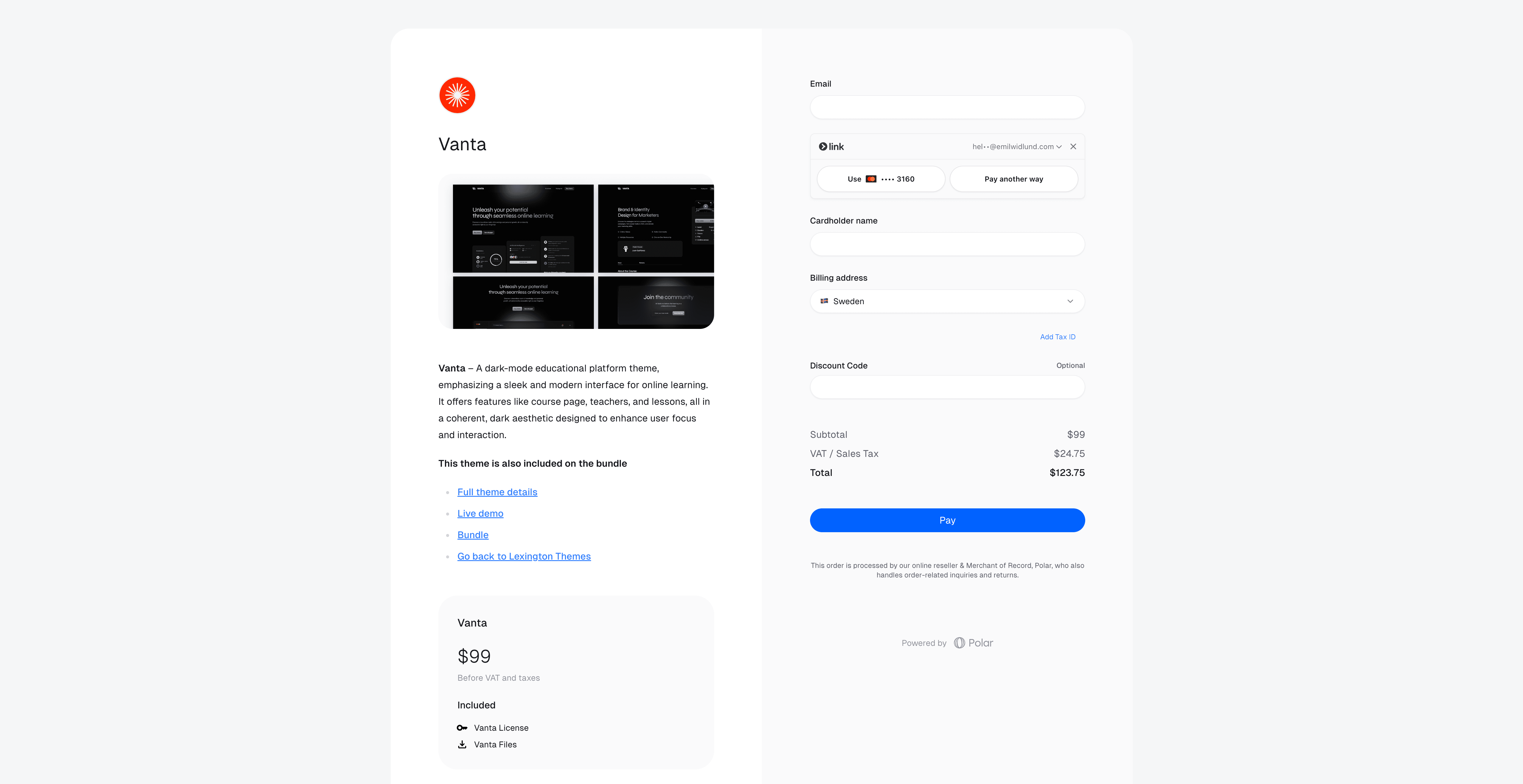
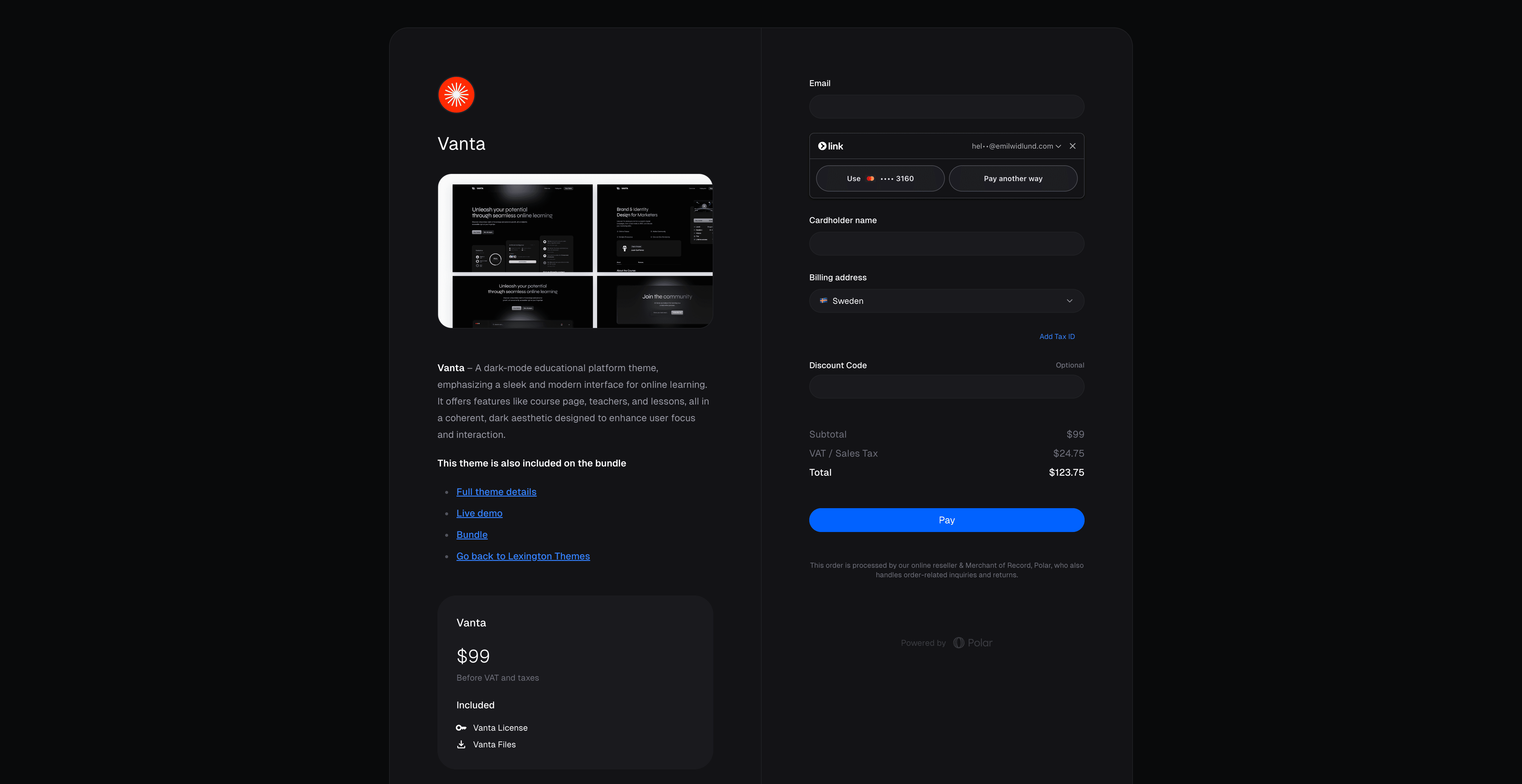
Checkout uses the same offer and pricing model whether it is hosted or embedded.
## Decide how your application connects
You do not need every integration surface on day one.
| Surface | Use it for |
| --------------- | ------------------------------------------------------------------------------------- |
| Dashboard | Configure and operate Ruba manually while validating the business flow. |
| API and SDKs | Create records, read state, and connect Ruba to your product backend. |
| Webhooks | React when payment, subscription, customer, benefit, or organization state changes. |
| Customer Portal | Give authenticated customers a place to manage their own billing relationship. |
| MCP | Let supported AI tools inspect and work with Ruba through the Model Context Protocol. |
## Take the shortest launch path
Use the [testing environment](/integrate/sandbox) while building. Sandbox data and credentials remain separate from production.
Issue an [Organization Access Token](/integrate/oat) for the organization your backend will operate.
Configure its price, billing behavior, checkout copy, and any access that should be delivered.
Confirm that the order, customer state, and attached benefits change as expected.
Add a [webhook endpoint](/integrate/webhooks/endpoints) and implement only the state transitions your application must react to.
## Continue the build
Start with catalog structure, pricing, and delivery.
Choose credentials and make the first authenticated request.
Review environments, authentication, pagination, responses, and rate limits.
 ## Decide how your application connects
You do not need every integration surface on day one.
| Surface | Use it for |
| --------------- | ------------------------------------------------------------------------------------- |
| Dashboard | Configure and operate Ruba manually while validating the business flow. |
| API and SDKs | Create records, read state, and connect Ruba to your product backend. |
| Webhooks | React when payment, subscription, customer, benefit, or organization state changes. |
| Customer Portal | Give authenticated customers a place to manage their own billing relationship. |
| MCP | Let supported AI tools inspect and work with Ruba through the Model Context Protocol. |
## Take the shortest launch path
## Decide how your application connects
You do not need every integration surface on day one.
| Surface | Use it for |
| --------------- | ------------------------------------------------------------------------------------- |
| Dashboard | Configure and operate Ruba manually while validating the business flow. |
| API and SDKs | Create records, read state, and connect Ruba to your product backend. |
| Webhooks | React when payment, subscription, customer, benefit, or organization state changes. |
| Customer Portal | Give authenticated customers a place to manage their own billing relationship. |
| MCP | Let supported AI tools inspect and work with Ruba through the Model Context Protocol. |
## Take the shortest launch path