> ## Documentation Index
> Fetch the complete documentation index at: https://docs.getruba.com/llms.txt
> Use this file to discover all available pages before exploring further.
# Turn Events into Quantities
> Filter an event stream, reduce matching events, and control how the resulting unit is displayed.
export const RubaSocials = () => {
if (typeof document === "undefined") {
return null;
}
const inject = () => {
const footer = document.getElementById("footer");
if (!footer || document.getElementById("ruba-socials")) {
return false;
}
const isDark = document.querySelector("html.dark") || document.querySelector('html[class*="dark"]');
const lineColor = isDark ? "#383838" : "#e8e8ed";
const iconColor = isDark ? "#8e8e93" : "#86868b";
const markColor = isDark ? "#ffffff" : "#08080c";
const hoverColor = "#0071e3";
const div = document.createElement("div");
div.id = "ruba-socials";
div.style.cssText = `display:flex;align-items:center;gap:20px;padding-top:20px;margin-top:20px;border-top:1px solid ${lineColor};width:100%`;
const logo = `Ruba`;
const spacer = ``;
const ig = ``;
const li = ``;
const x = ``;
const github = ``;
div.innerHTML = logo + spacer + ig + li + x + github;
footer.appendChild(div);
return true;
};
if (!document.documentElement.dataset.rubaSocialsObserver) {
document.documentElement.dataset.rubaSocialsObserver = "true";
const observer = new MutationObserver(() => {
if (!document.getElementById("ruba-socials")) {
inject();
}
});
observer.observe(document.body, {
childList: true,
subtree: true
});
}
setTimeout(() => {
if (!inject()) {
const interval = setInterval(() => {
if (inject()) {
clearInterval(interval);
}
}, 500);
setTimeout(() => clearInterval(interval), 10000);
}
}, 300);
return null;
};
A meter is the rule that turns raw events into a usage total. It chooses which events count, optionally narrows them through metadata filters, and applies an aggregation such as count or sum.
Examples:
* Match `ai_usage` and sum `total_tokens` to bill for model consumption.
* Match `video_streamed` and sum `duration` to charge by viewing time.
* Match `file_uploaded` and sum `size` to price storage intake.
Create meters from the dashboard. Ruba maintains both organization-wide and per-customer totals, so the same definition can power billing, customer balances, and usage reporting.
## Building a Meter
Open [**Products → Meters**](https://getruba.com/to/dashboard/products/meters) and choose **Create Meter**. A meter has two jobs: decide which events belong, then reduce them into one quantity.
## Filters
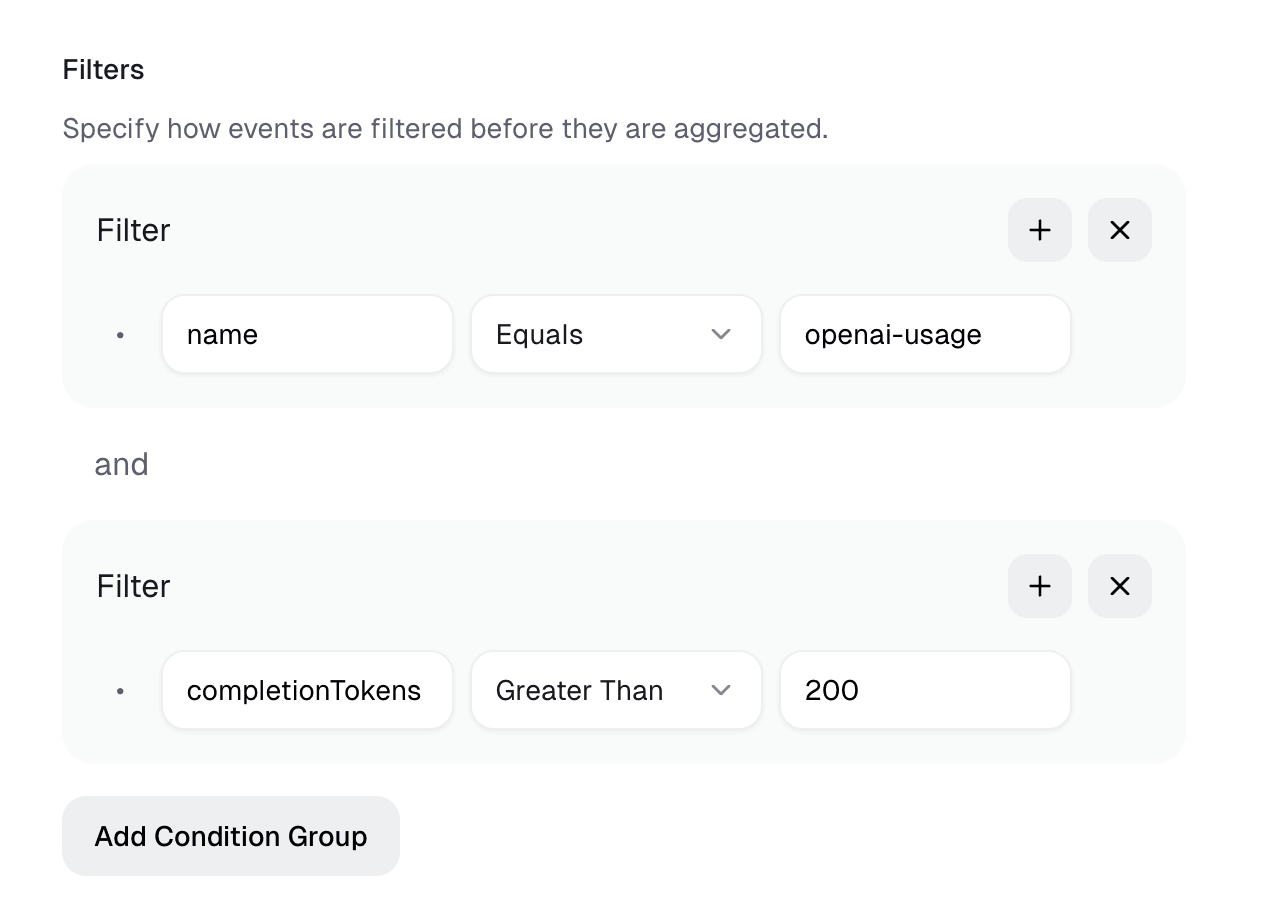
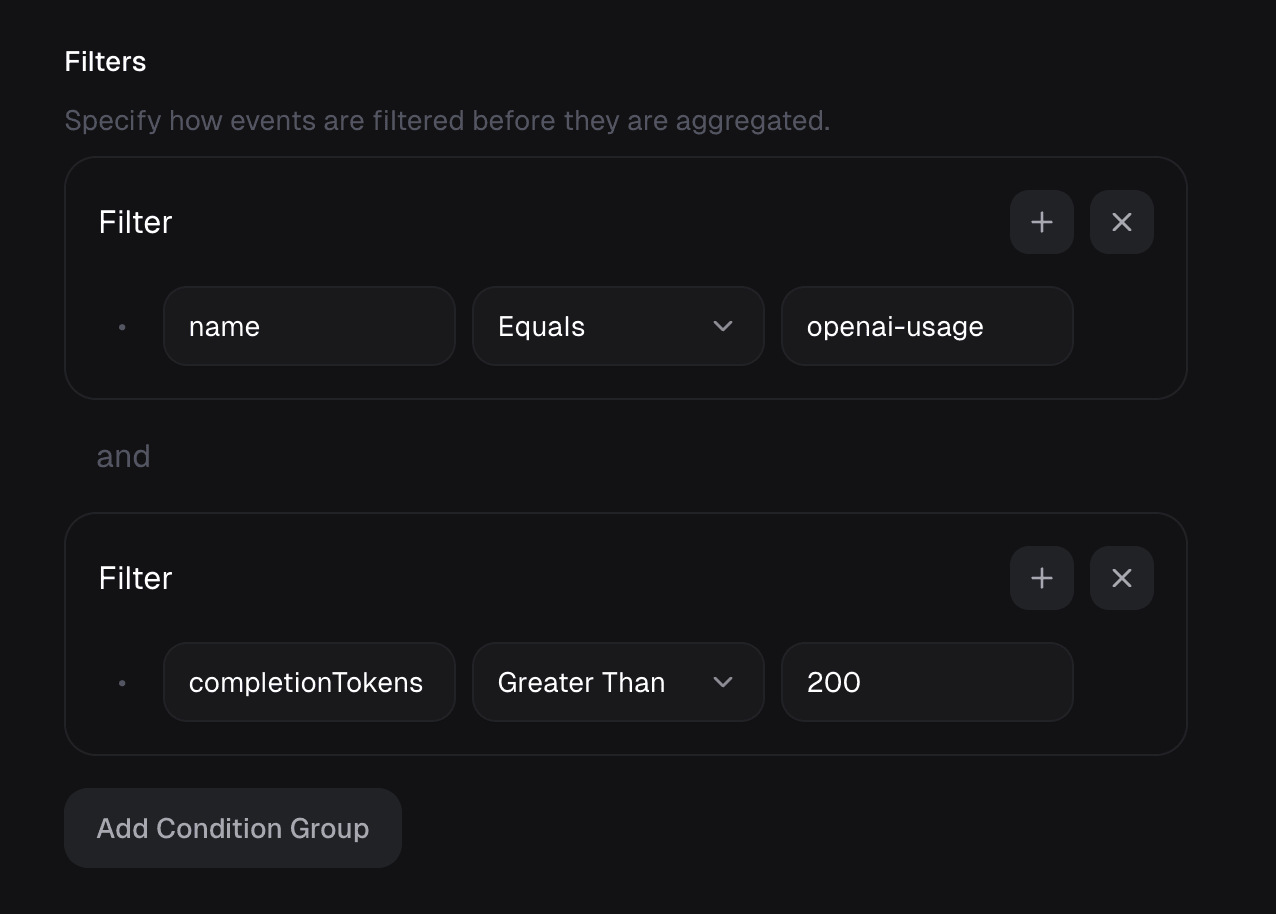
A filter combines one or more clauses. Only events satisfying the resulting expression reach aggregation.
### Build each clause
Choose an event property, an operator, and the comparison value. Metadata keys are referenced directly; do not prefix them with `metadata.`.
Operators are **equals**, **not equals**, **greater than**, **greater than or equals**, **less than**, **less than or equals**, **contains**, and **does not contain**.
The builder interprets values in this order: number, boolean (`true` or `false`), then string.
### Join clauses
Use `and` when every clause must match. Use `or` when any one match is sufficient.
## Aggregation
After filtering, choose the reduction:
| Function | Quantity produced |
| -------- | ---------------------------------- |
| Count | Number of matching events |
| Sum | Total of one property |
| Average | Mean of one property |
| Minimum | Lowest property value |
| Maximum | Highest property value |
| Unique | Number of distinct property values |
For four events whose `total_tokens` values are 10, 20, 30, and 30, the outputs are Count 4, Sum 90, Average 22.5, Minimum 10, Maximum 30, and Unique 3.
## Unit
The unit changes display formatting on checkout, invoices, and the portal; it does not change calculation.
| Unit | Example display | Intended use |
| ------ | ------------------------- | -------------------------------- |
| Scalar | `$0.05 / unit` | Generic event or API-call counts |
| Token | `$20 / 1M tokens` | Model token consumption |
| Custom | Your label and multiplier | Any domain-specific quantity |
For a custom unit, the label supplies the singular name and the multiplier scales only the displayed denomination. A multiplier of 1,000 can show a price per thousand while `unit_amount` remains the price of one raw unit.
## Example
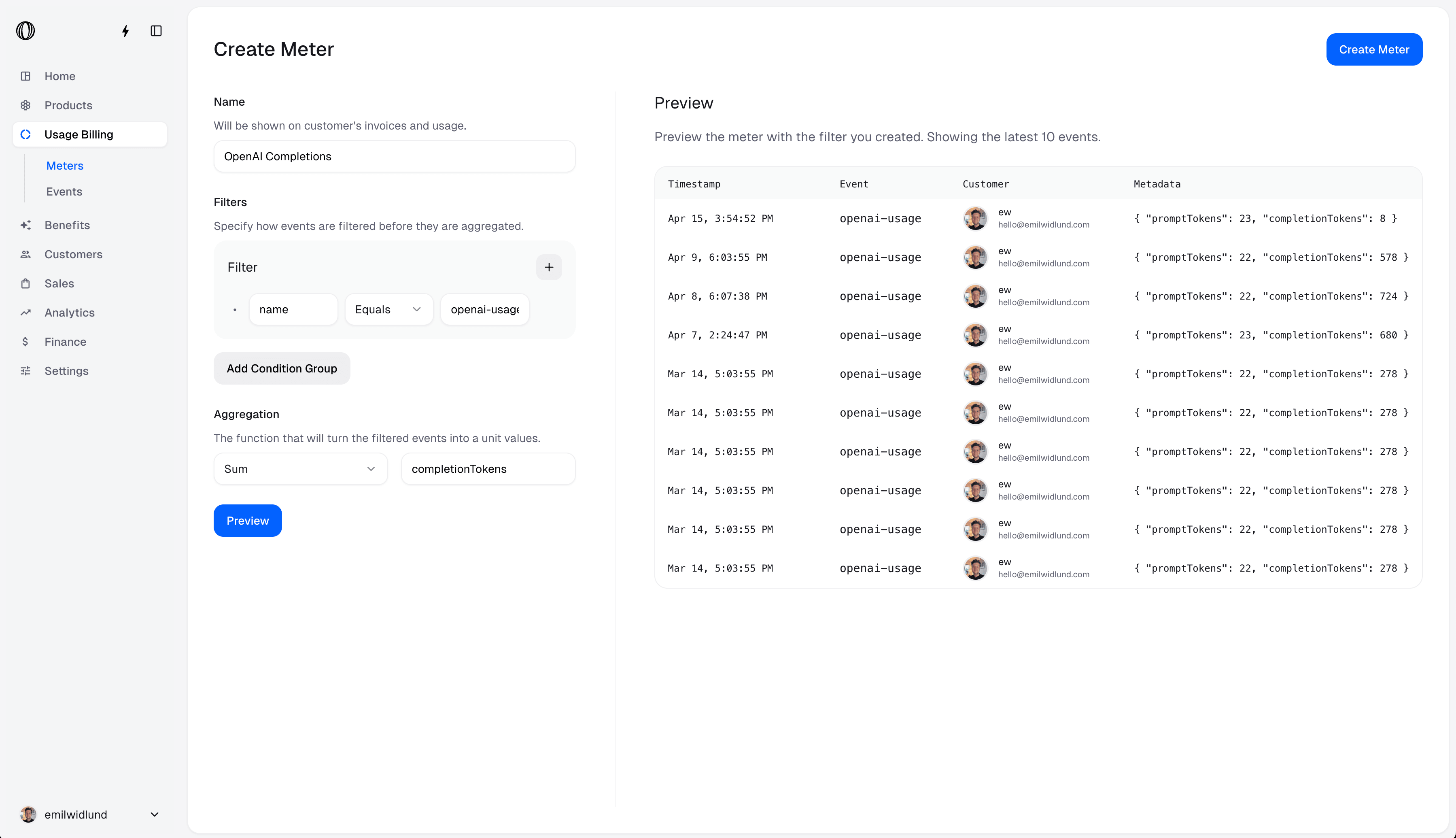
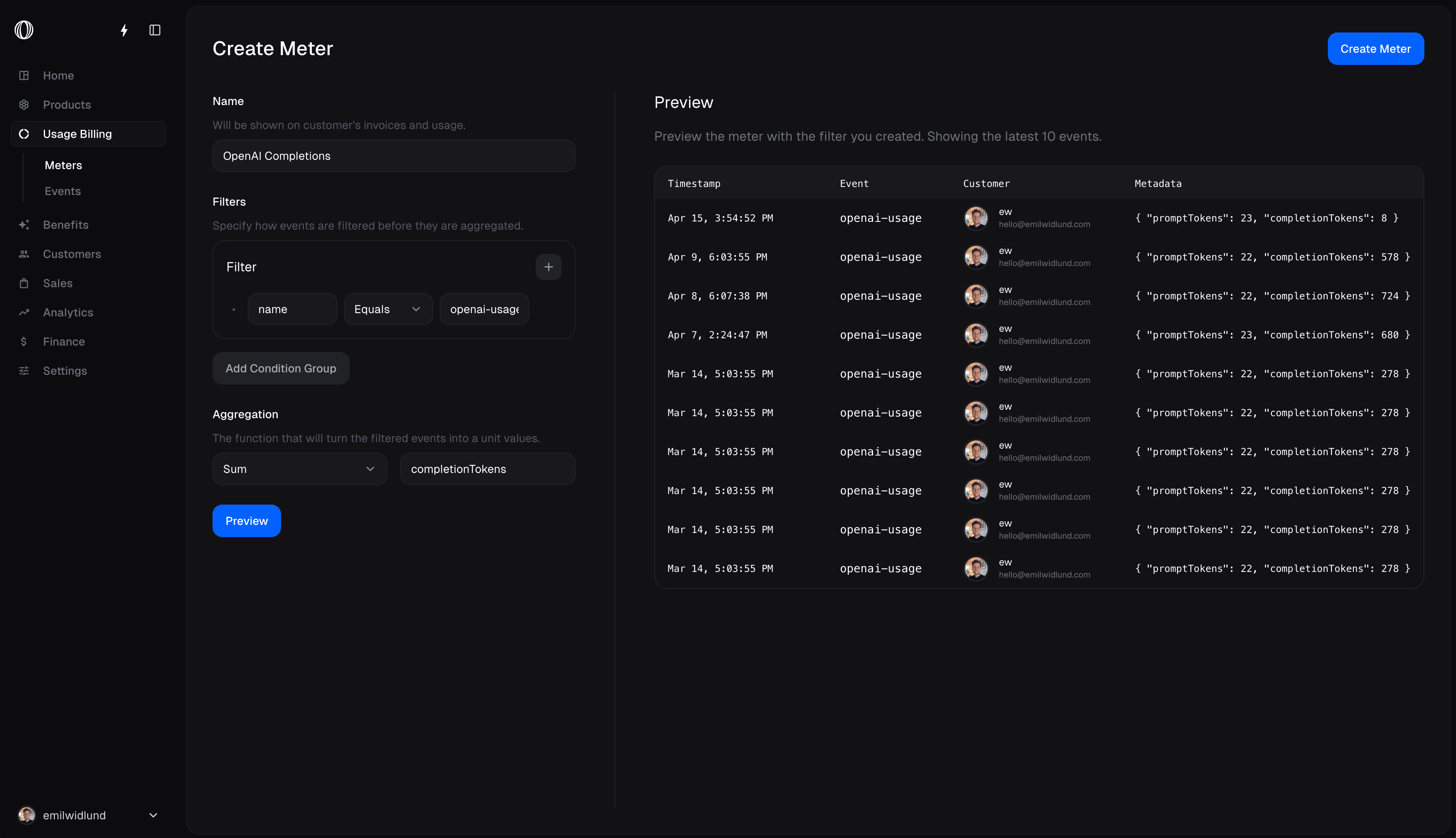
A meter may select events named `openai-usage` and sum their `completionTokens` metadata value.
Use **Preview** during creation to inspect the events the filter accepts.
## Operating rules
Filters and aggregation may be changed only while the meter has neither processed events nor a customer purchase attached to it.
 ## Filters
A filter combines one or more clauses. Only events satisfying the resulting expression reach aggregation.
## Filters
A filter combines one or more clauses. Only events satisfying the resulting expression reach aggregation.
 ### Build each clause
Choose an event property, an operator, and the comparison value. Metadata keys are referenced directly; do not prefix them with `metadata.`.
Operators are **equals**, **not equals**, **greater than**, **greater than or equals**, **less than**, **less than or equals**, **contains**, and **does not contain**.
The builder interprets values in this order: number, boolean (`true` or `false`), then string.
### Join clauses
Use `and` when every clause must match. Use `or` when any one match is sufficient.
## Aggregation
After filtering, choose the reduction:
| Function | Quantity produced |
| -------- | ---------------------------------- |
| Count | Number of matching events |
| Sum | Total of one property |
| Average | Mean of one property |
| Minimum | Lowest property value |
| Maximum | Highest property value |
| Unique | Number of distinct property values |
For four events whose `total_tokens` values are 10, 20, 30, and 30, the outputs are Count 4, Sum 90, Average 22.5, Minimum 10, Maximum 30, and Unique 3.
## Unit
The unit changes display formatting on checkout, invoices, and the portal; it does not change calculation.
| Unit | Example display | Intended use |
| ------ | ------------------------- | -------------------------------- |
| Scalar | `$0.05 / unit` | Generic event or API-call counts |
| Token | `$20 / 1M tokens` | Model token consumption |
| Custom | Your label and multiplier | Any domain-specific quantity |
For a custom unit, the label supplies the singular name and the multiplier scales only the displayed denomination. A multiplier of 1,000 can show a price per thousand while `unit_amount` remains the price of one raw unit.
## Example
A meter may select events named `openai-usage` and sum their `completionTokens` metadata value.
### Build each clause
Choose an event property, an operator, and the comparison value. Metadata keys are referenced directly; do not prefix them with `metadata.`.
Operators are **equals**, **not equals**, **greater than**, **greater than or equals**, **less than**, **less than or equals**, **contains**, and **does not contain**.
The builder interprets values in this order: number, boolean (`true` or `false`), then string.
### Join clauses
Use `and` when every clause must match. Use `or` when any one match is sufficient.
## Aggregation
After filtering, choose the reduction:
| Function | Quantity produced |
| -------- | ---------------------------------- |
| Count | Number of matching events |
| Sum | Total of one property |
| Average | Mean of one property |
| Minimum | Lowest property value |
| Maximum | Highest property value |
| Unique | Number of distinct property values |
For four events whose `total_tokens` values are 10, 20, 30, and 30, the outputs are Count 4, Sum 90, Average 22.5, Minimum 10, Maximum 30, and Unique 3.
## Unit
The unit changes display formatting on checkout, invoices, and the portal; it does not change calculation.
| Unit | Example display | Intended use |
| ------ | ------------------------- | -------------------------------- |
| Scalar | `$0.05 / unit` | Generic event or API-call counts |
| Token | `$20 / 1M tokens` | Model token consumption |
| Custom | Your label and multiplier | Any domain-specific quantity |
For a custom unit, the label supplies the singular name and the multiplier scales only the displayed denomination. A multiplier of 1,000 can show a price per thousand while `unit_amount` remains the price of one raw unit.
## Example
A meter may select events named `openai-usage` and sum their `completionTokens` metadata value.
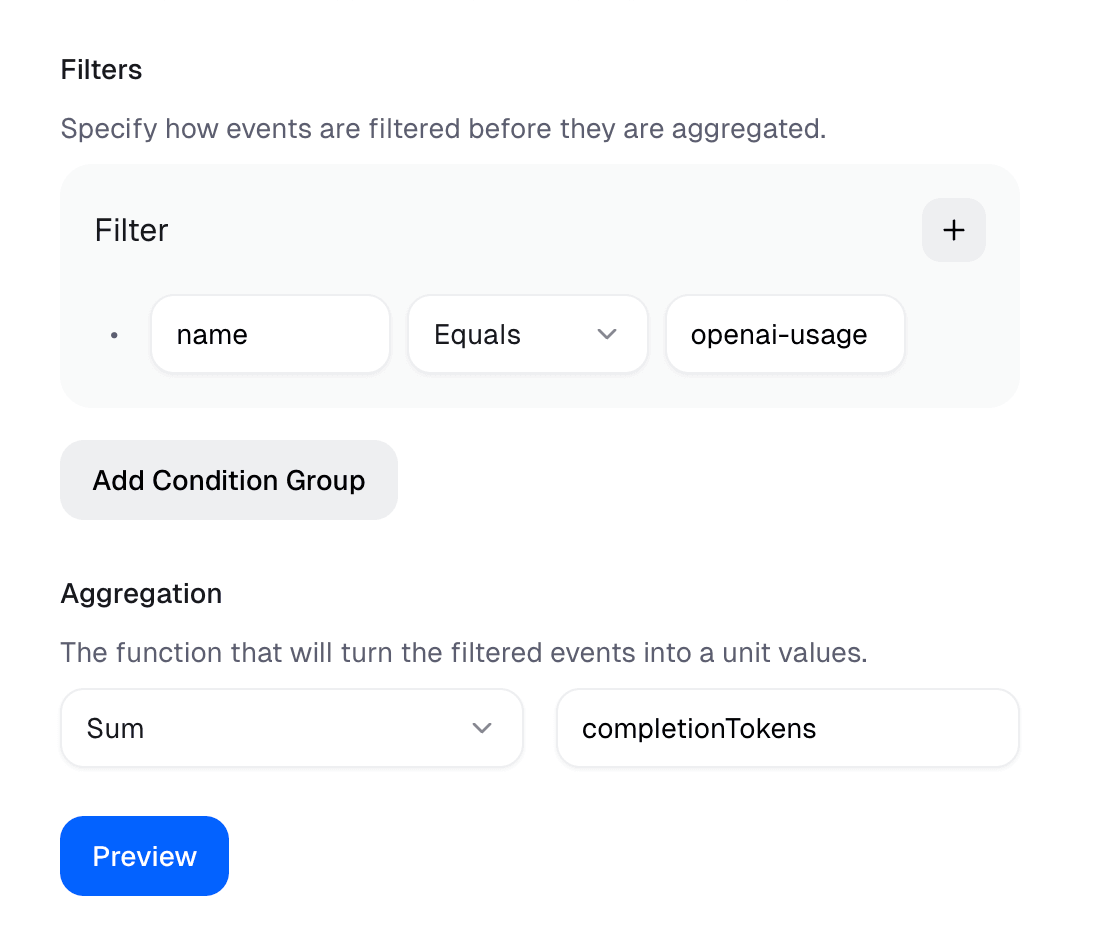
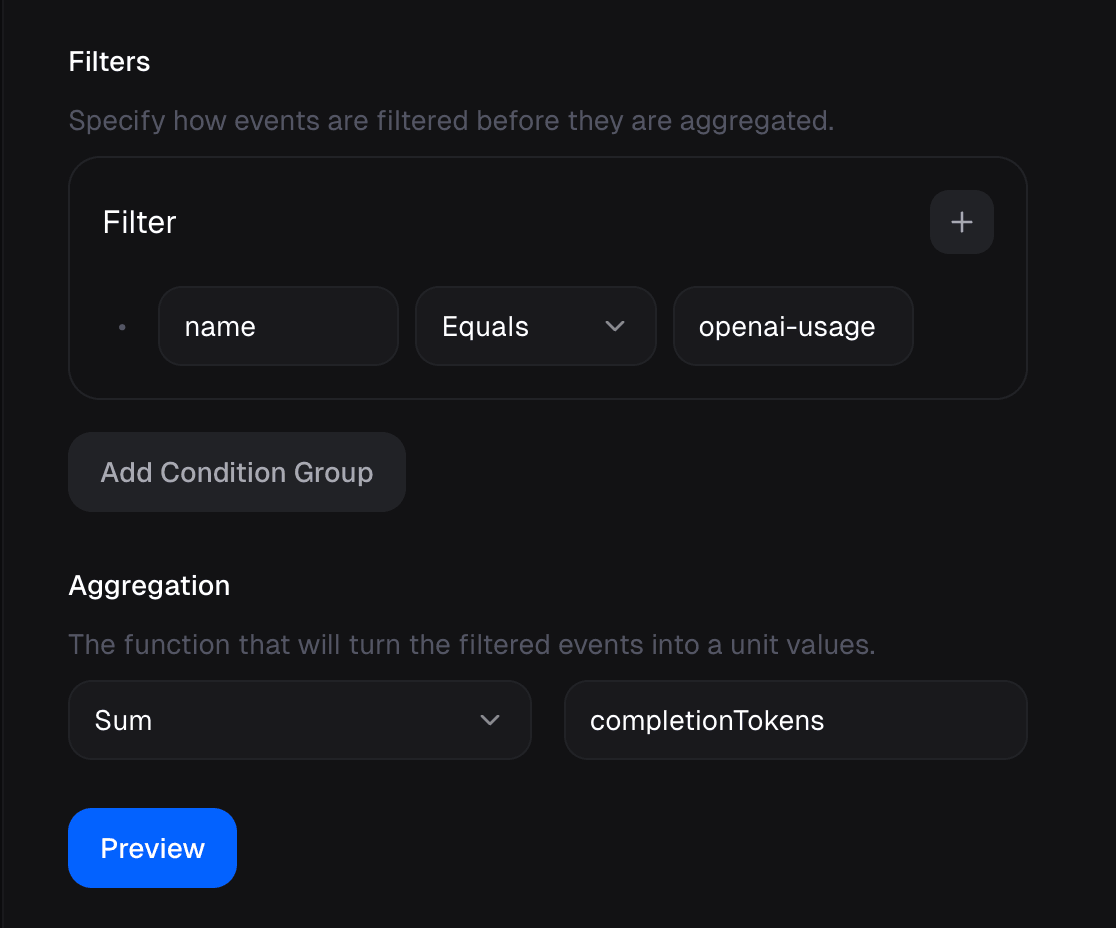 Use **Preview** during creation to inspect the events the filter accepts.
## Operating rules
Filters and aggregation may be changed only while the meter has neither processed events nor a customer purchase attached to it.
Use **Preview** during creation to inspect the events the filter accepts.
## Operating rules
Filters and aggregation may be changed only while the meter has neither processed events nor a customer purchase attached to it.