> ## Documentation Index
> Fetch the complete documentation index at: https://docs.getruba.com/llms.txt
> Use this file to discover all available pages before exploring further.
# Keep Customer Records in Sync
> Gain insight into your customers and sales
export const RubaSocials = () => {
if (typeof document === "undefined") {
return null;
}
const inject = () => {
const footer = document.getElementById("footer");
if (!footer || document.getElementById("ruba-socials")) {
return false;
}
const isDark = document.querySelector("html.dark") || document.querySelector('html[class*="dark"]');
const lineColor = isDark ? "#383838" : "#e8e8ed";
const iconColor = isDark ? "#8e8e93" : "#86868b";
const markColor = isDark ? "#ffffff" : "#08080c";
const hoverColor = "#0071e3";
const div = document.createElement("div");
div.id = "ruba-socials";
div.style.cssText = `display:flex;align-items:center;gap:20px;padding-top:20px;margin-top:20px;border-top:1px solid ${lineColor};width:100%`;
const logo = `Ruba`;
const spacer = ``;
const ig = ``;
const li = ``;
const x = ``;
const github = ``;
div.innerHTML = logo + spacer + ig + li + x + github;
footer.appendChild(div);
return true;
};
if (!document.documentElement.dataset.rubaSocialsObserver) {
document.documentElement.dataset.rubaSocialsObserver = "true";
const observer = new MutationObserver(() => {
if (!document.getElementById("ruba-socials")) {
inject();
}
});
observer.observe(document.body, {
childList: true,
subtree: true
});
}
setTimeout(() => {
if (!inject()) {
const interval = setInterval(() => {
if (inject()) {
clearInterval(interval);
}
}, 500);
setTimeout(() => clearInterval(interval), 10000);
}
}, 300);
return null;
};
## Looking after your customers
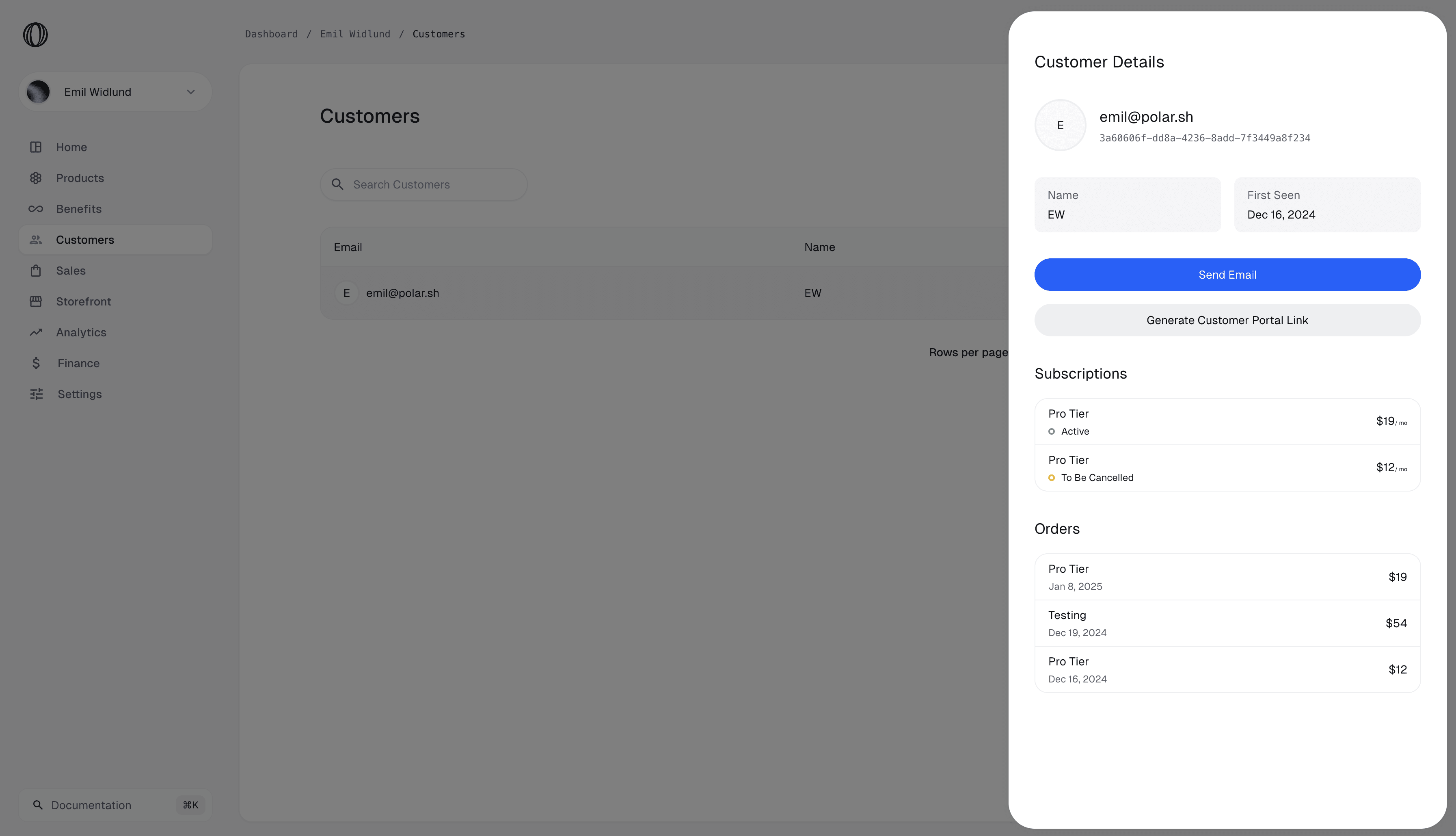
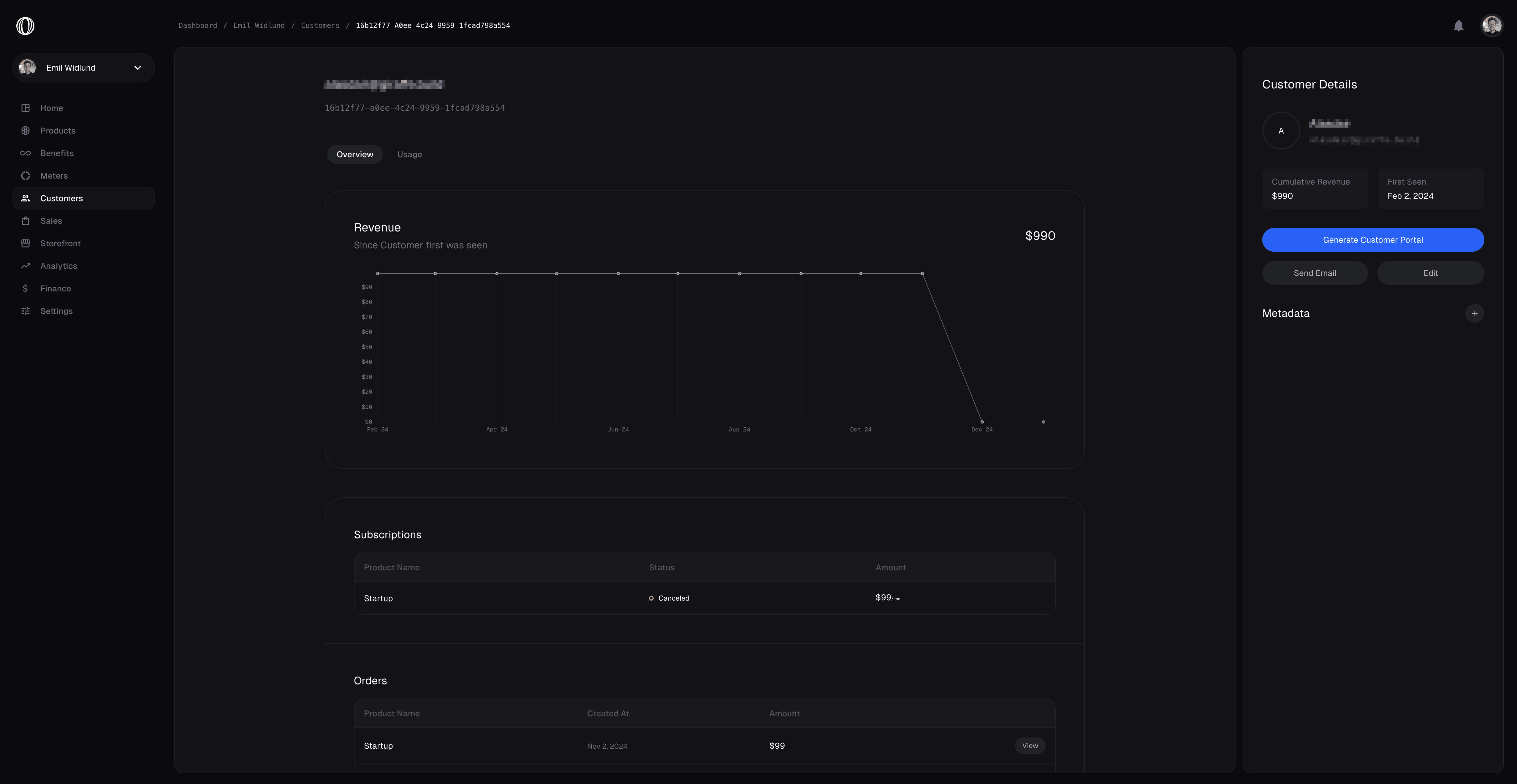
Ruba ships with a built-in feature to view and manage your Customers.
Everyone who has ever bought something from you gets recorded as a Customer on your Organization. You can review past orders and their ongoing subscriptions, along with some additional metrics.
## External ID
Quite often, you'll run your own user management system in your application, where your customers already have an ID. To simplify reconciliation between Ruba and your system, we provide a dedicated [`external_id`](/api-reference/customers/get-external#response-external-id) field on Customers. It is unique across your organization and can't be changed once set.
We offer dedicated API endpoints that work with the `external_id` field, so you don't even need to store the internal Ruba ID in your system.
## Metadata
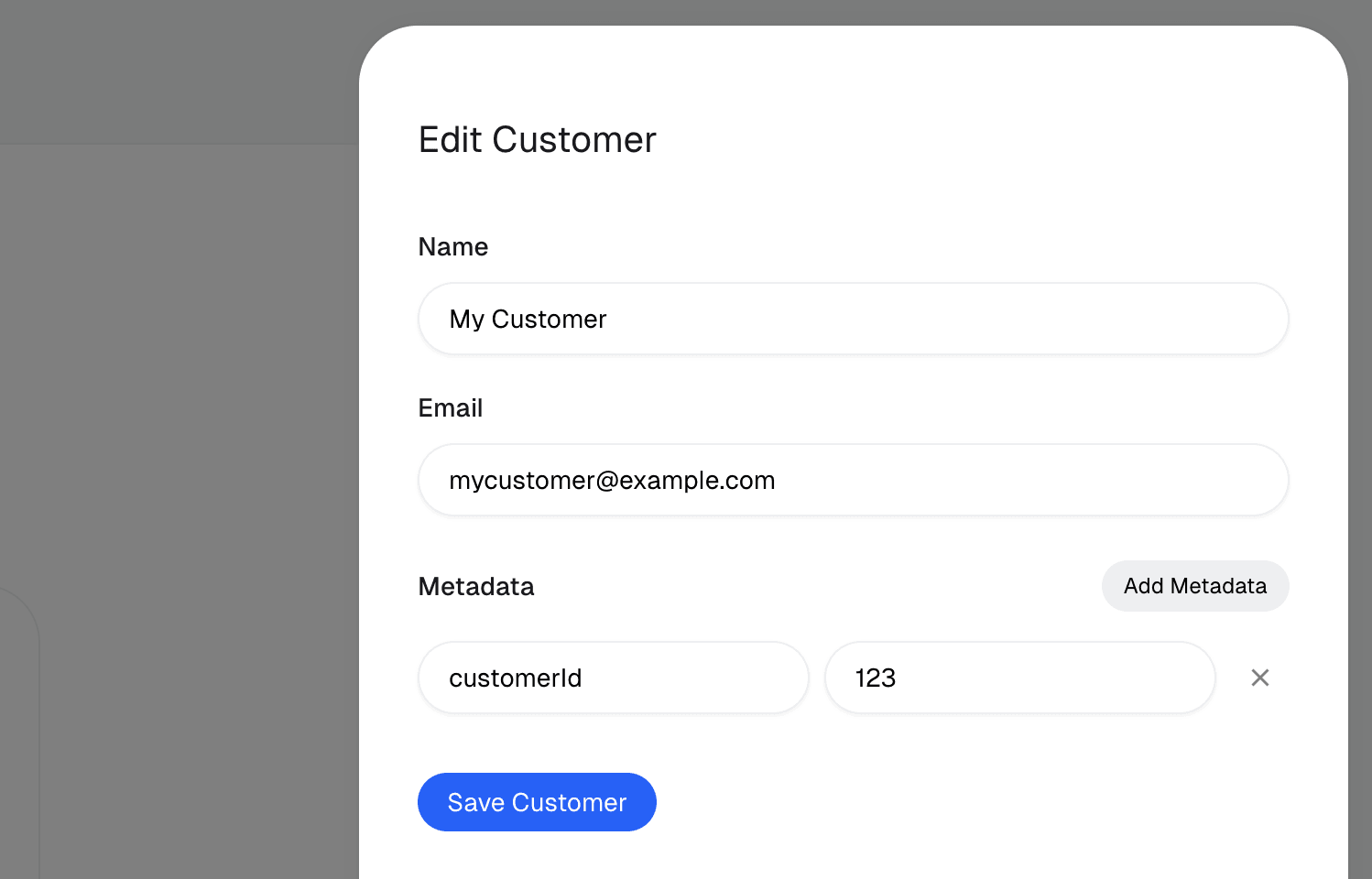
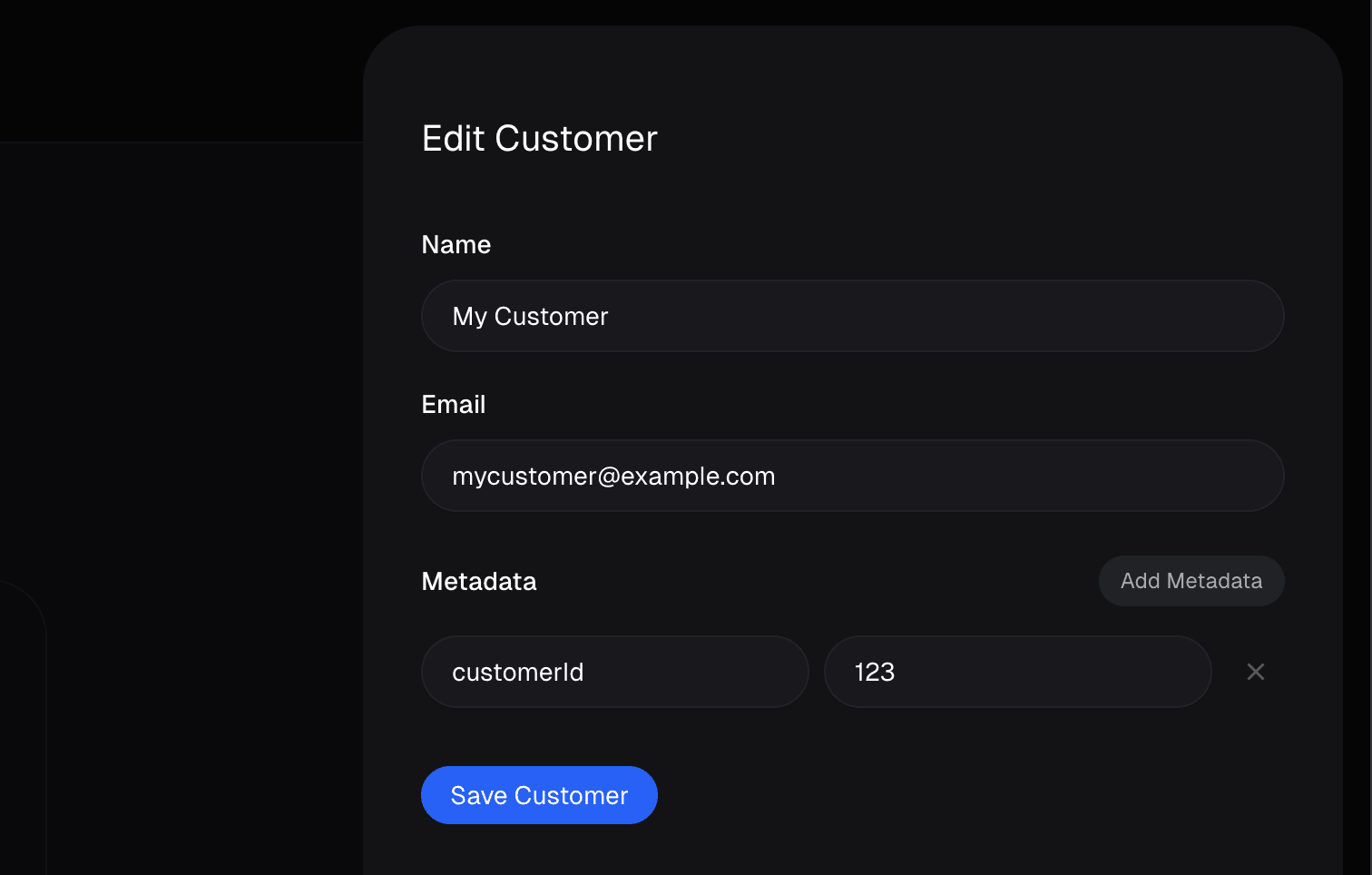
You may attach additional metadata to Customers. This can be very useful to store extra data about your customer that you want available through our API and webhooks.
You can set it through the dashboard or through the [API](/api-reference/customers/update#body-metadata). It can also be pre-set when creating a Checkout Session by using the [`customer_metadata`](/api-reference/checkouts/create-session#body-customer-metadata) field. That way, after a successful checkout, the metadata is automatically applied to the newly created Customer.
 ## Looking after your customers
Ruba ships with a built-in feature to view and manage your Customers.
Everyone who has ever bought something from you gets recorded as a Customer on your Organization. You can review past orders and their ongoing subscriptions, along with some additional metrics.
## External ID
Quite often, you'll run your own user management system in your application, where your customers already have an ID. To simplify reconciliation between Ruba and your system, we provide a dedicated [`external_id`](/api-reference/customers/get-external#response-external-id) field on Customers. It is unique across your organization and can't be changed once set.
We offer dedicated API endpoints that work with the `external_id` field, so you don't even need to store the internal Ruba ID in your system.
## Looking after your customers
Ruba ships with a built-in feature to view and manage your Customers.
Everyone who has ever bought something from you gets recorded as a Customer on your Organization. You can review past orders and their ongoing subscriptions, along with some additional metrics.
## External ID
Quite often, you'll run your own user management system in your application, where your customers already have an ID. To simplify reconciliation between Ruba and your system, we provide a dedicated [`external_id`](/api-reference/customers/get-external#response-external-id) field on Customers. It is unique across your organization and can't be changed once set.
We offer dedicated API endpoints that work with the `external_id` field, so you don't even need to store the internal Ruba ID in your system.
 You can set it through the dashboard or through the [API](/api-reference/customers/update#body-metadata). It can also be pre-set when creating a Checkout Session by using the [`customer_metadata`](/api-reference/checkouts/create-session#body-customer-metadata) field. That way, after a successful checkout, the metadata is automatically applied to the newly created Customer.