> ## Documentation Index
> Fetch the complete documentation index at: https://docs.getruba.com/llms.txt
> Use this file to discover all available pages before exploring further.
# Collect Structured Answers at Checkout
> Define reusable questions, attach them to products, and read the answers
export const RubaSocials = () => {
if (typeof document === "undefined") {
return null;
}
const inject = () => {
const footer = document.getElementById("footer");
if (!footer || document.getElementById("ruba-socials")) {
return false;
}
const isDark = document.querySelector("html.dark") || document.querySelector('html[class*="dark"]');
const lineColor = isDark ? "#383838" : "#e8e8ed";
const iconColor = isDark ? "#8e8e93" : "#86868b";
const markColor = isDark ? "#ffffff" : "#08080c";
const hoverColor = "#0071e3";
const div = document.createElement("div");
div.id = "ruba-socials";
div.style.cssText = `display:flex;align-items:center;gap:20px;padding-top:20px;margin-top:20px;border-top:1px solid ${lineColor};width:100%`;
const logo = `Ruba`;
const spacer = ``;
const ig = ``;
const li = ``;
const x = ``;
const github = ``;
div.innerHTML = logo + spacer + ig + li + x + github;
footer.appendChild(div);
return true;
};
if (!document.documentElement.dataset.rubaSocialsObserver) {
document.documentElement.dataset.rubaSocialsObserver = "true";
const observer = new MutationObserver(() => {
if (!document.getElementById("ruba-socials")) {
inject();
}
});
observer.observe(document.body, {
childList: true,
subtree: true
});
}
setTimeout(() => {
if (!inject()) {
const interval = setInterval(() => {
if (inject()) {
clearInterval(interval);
}
}, 500);
setTimeout(() => clearInterval(interval), 10000);
}
}, 300);
return null;
};
Checkout already collects identity and billing information. Custom fields cover information specific to your business, such as terms acceptance, marketing consent, attribution, or fulfillment details.
## Define the data before the form
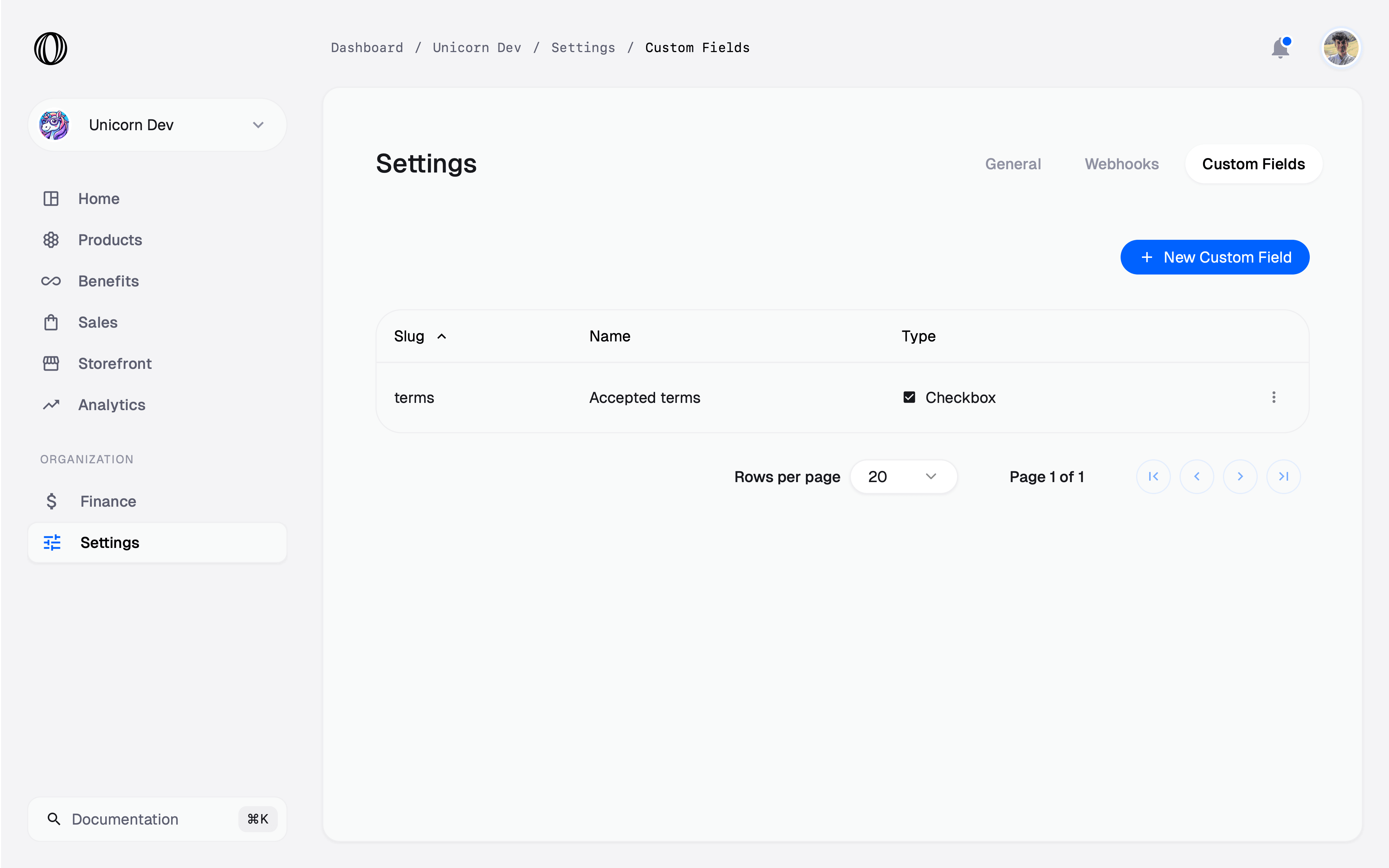
Open [Settings → Custom Fields](https://getruba.com/to/dashboard/settings/custom-fields) and create an organization-level field. Products choose from this shared library later.
The field type is permanent after creation because it controls both the checkout control and stored value:
| Type | Checkout control | Stored value | Validation |
| -------- | -------------------------------------- | --------------------- | ------------------------------------------ |
| Text | Single-line input or optional textarea | String | Minimum and maximum length |
| Number | Numeric input | Number | Minimum and maximum value |
| Date | Date input | ISO 8601 string | Earliest and latest date |
| Checkbox | Checkbox | Boolean | Required state can enforce acknowledgement |
| Select | Menu of label/value pairs | Selected option value | Allowed options |
## Separate internal identity from customer copy
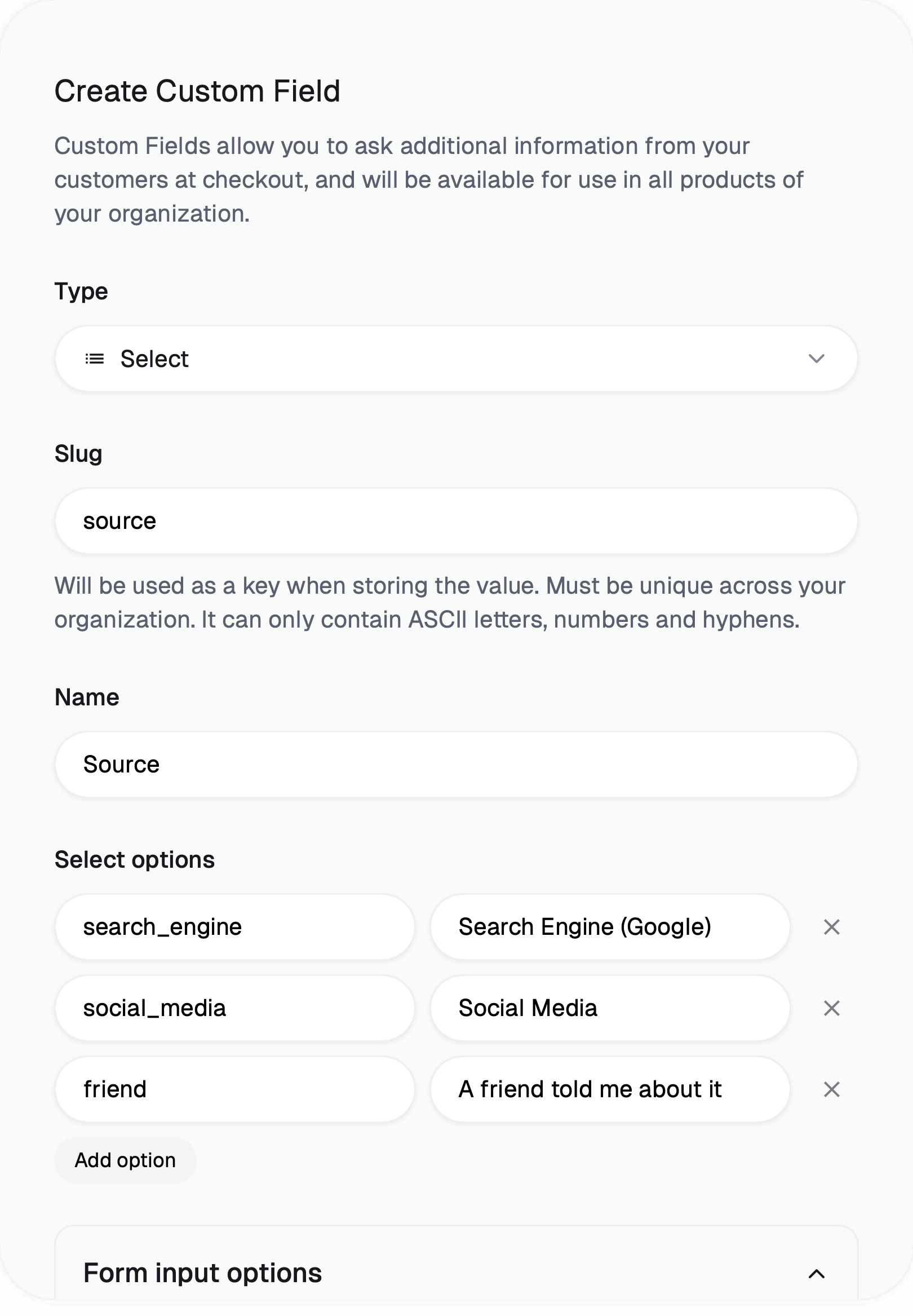
The **slug** is the unique organization-wide key used in orders, subscriptions, and API responses. It can be renamed later; Ruba updates existing data to the new key. The **name** identifies the field in the dashboard and becomes its initial checkout label.
Form options let you replace the label, add help text beneath the control, and add an empty-state placeholder. Label and help text accept basic Markdown including emphasis and links.
## Attach questions to a product
Edit or [create the product](/features/products), select the fields that belong on its checkout, and mark each one optional or required.
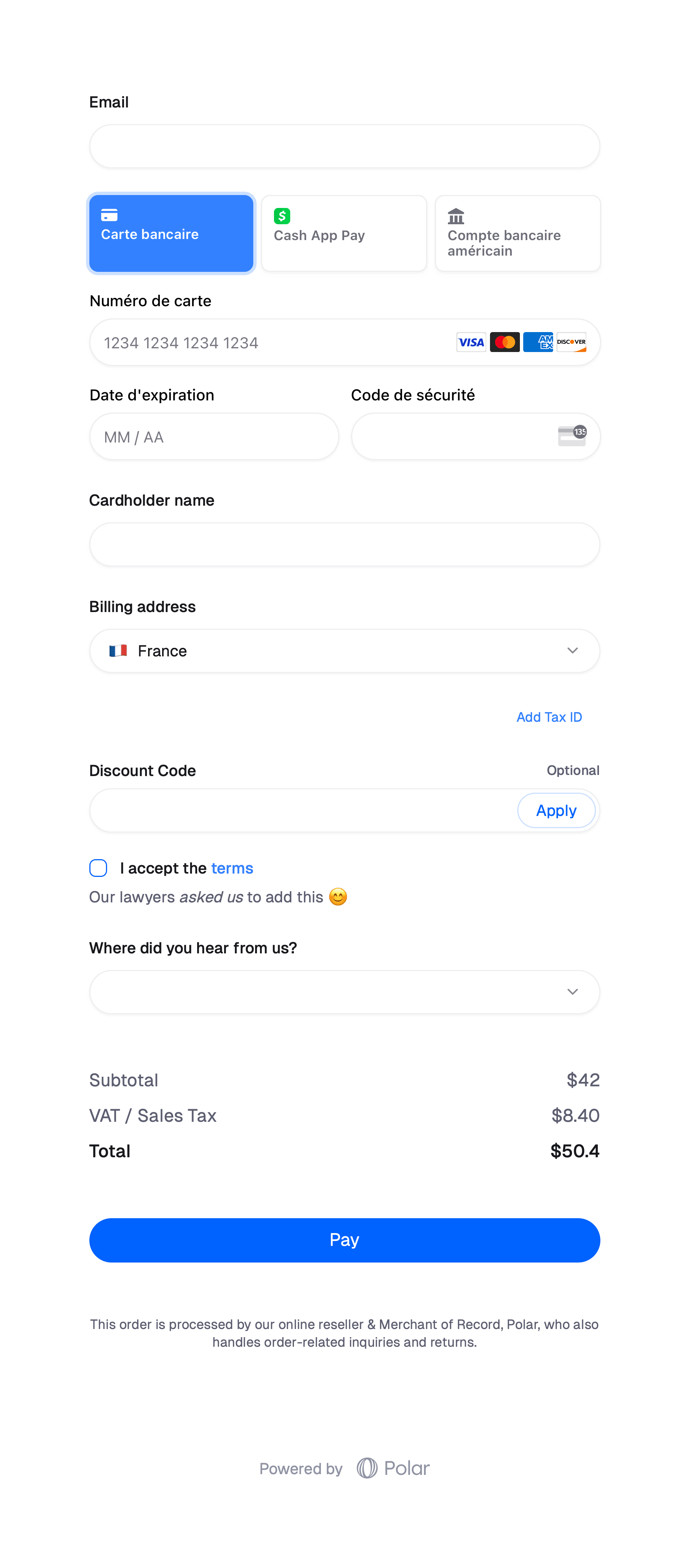
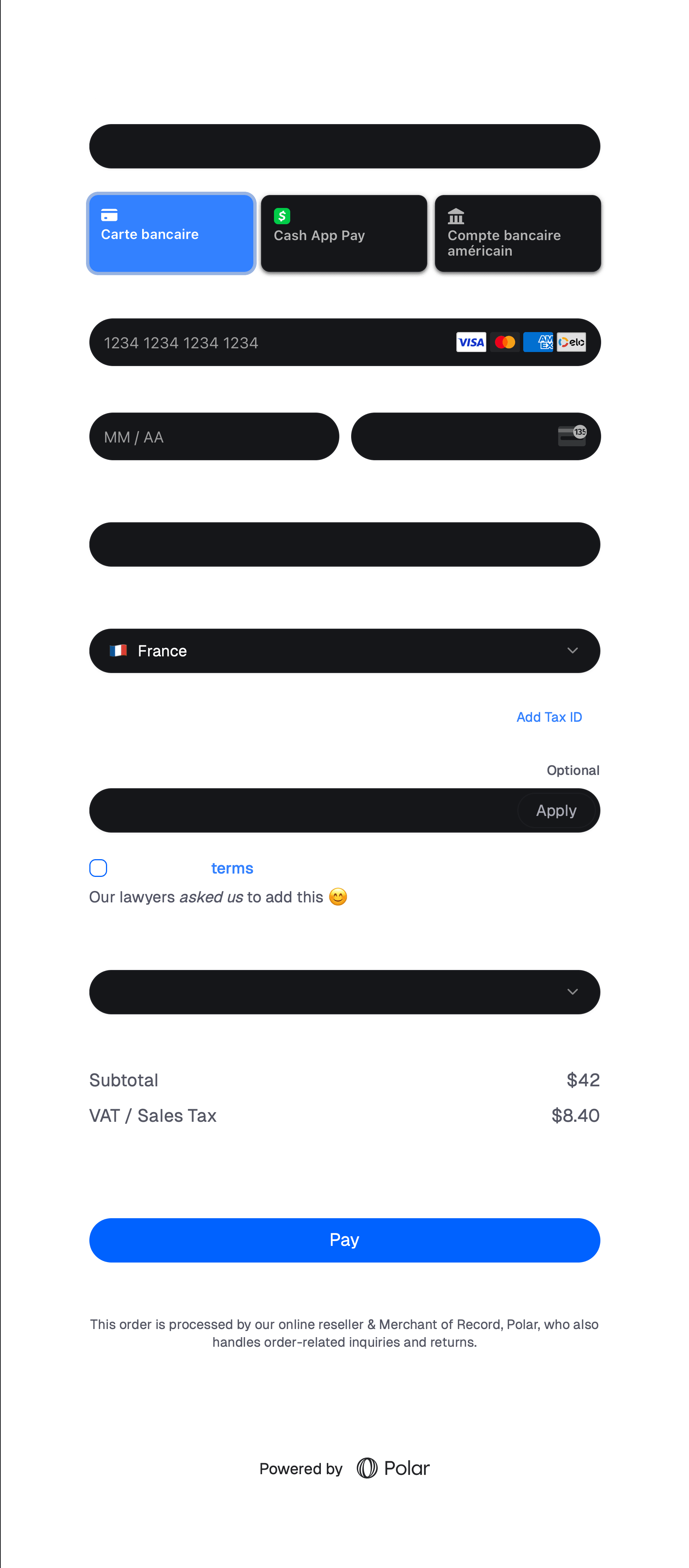
A required checkbox must be checked before confirmation, which makes it suitable for explicit agreement to linked terms.
## Consume the answers
Sales views add the organization fields as columns on orders and subscriptions.
The [Orders API](/api-reference/orders/get) and [Subscriptions API](/api-reference/subscriptions/get) return the same values under `custom_field_data`, keyed by slug:
```json theme={"system"}
{
"custom_field_data": {
"terms": true,
"source": "social_media"
}
}
```
 The field type is permanent after creation because it controls both the checkout control and stored value:
| Type | Checkout control | Stored value | Validation |
| -------- | -------------------------------------- | --------------------- | ------------------------------------------ |
| Text | Single-line input or optional textarea | String | Minimum and maximum length |
| Number | Numeric input | Number | Minimum and maximum value |
| Date | Date input | ISO 8601 string | Earliest and latest date |
| Checkbox | Checkbox | Boolean | Required state can enforce acknowledgement |
| Select | Menu of label/value pairs | Selected option value | Allowed options |
## Separate internal identity from customer copy
The **slug** is the unique organization-wide key used in orders, subscriptions, and API responses. It can be renamed later; Ruba updates existing data to the new key. The **name** identifies the field in the dashboard and becomes its initial checkout label.
The field type is permanent after creation because it controls both the checkout control and stored value:
| Type | Checkout control | Stored value | Validation |
| -------- | -------------------------------------- | --------------------- | ------------------------------------------ |
| Text | Single-line input or optional textarea | String | Minimum and maximum length |
| Number | Numeric input | Number | Minimum and maximum value |
| Date | Date input | ISO 8601 string | Earliest and latest date |
| Checkbox | Checkbox | Boolean | Required state can enforce acknowledgement |
| Select | Menu of label/value pairs | Selected option value | Allowed options |
## Separate internal identity from customer copy
The **slug** is the unique organization-wide key used in orders, subscriptions, and API responses. It can be renamed later; Ruba updates existing data to the new key. The **name** identifies the field in the dashboard and becomes its initial checkout label.
 Form options let you replace the label, add help text beneath the control, and add an empty-state placeholder. Label and help text accept basic Markdown including emphasis and links.

 ## Attach questions to a product
Edit or [create the product](/features/products), select the fields that belong on its checkout, and mark each one optional or required.
## Attach questions to a product
Edit or [create the product](/features/products), select the fields that belong on its checkout, and mark each one optional or required.
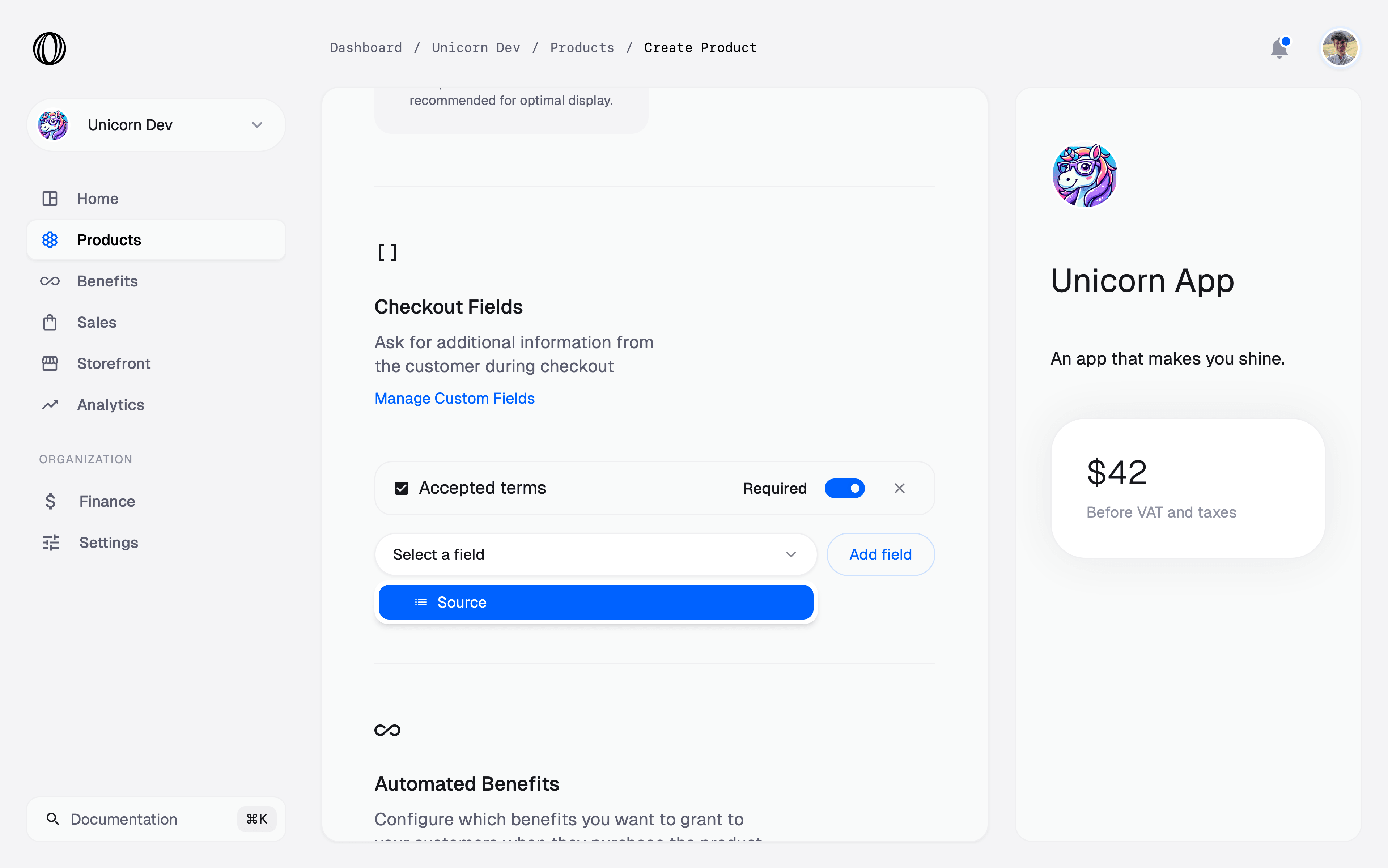
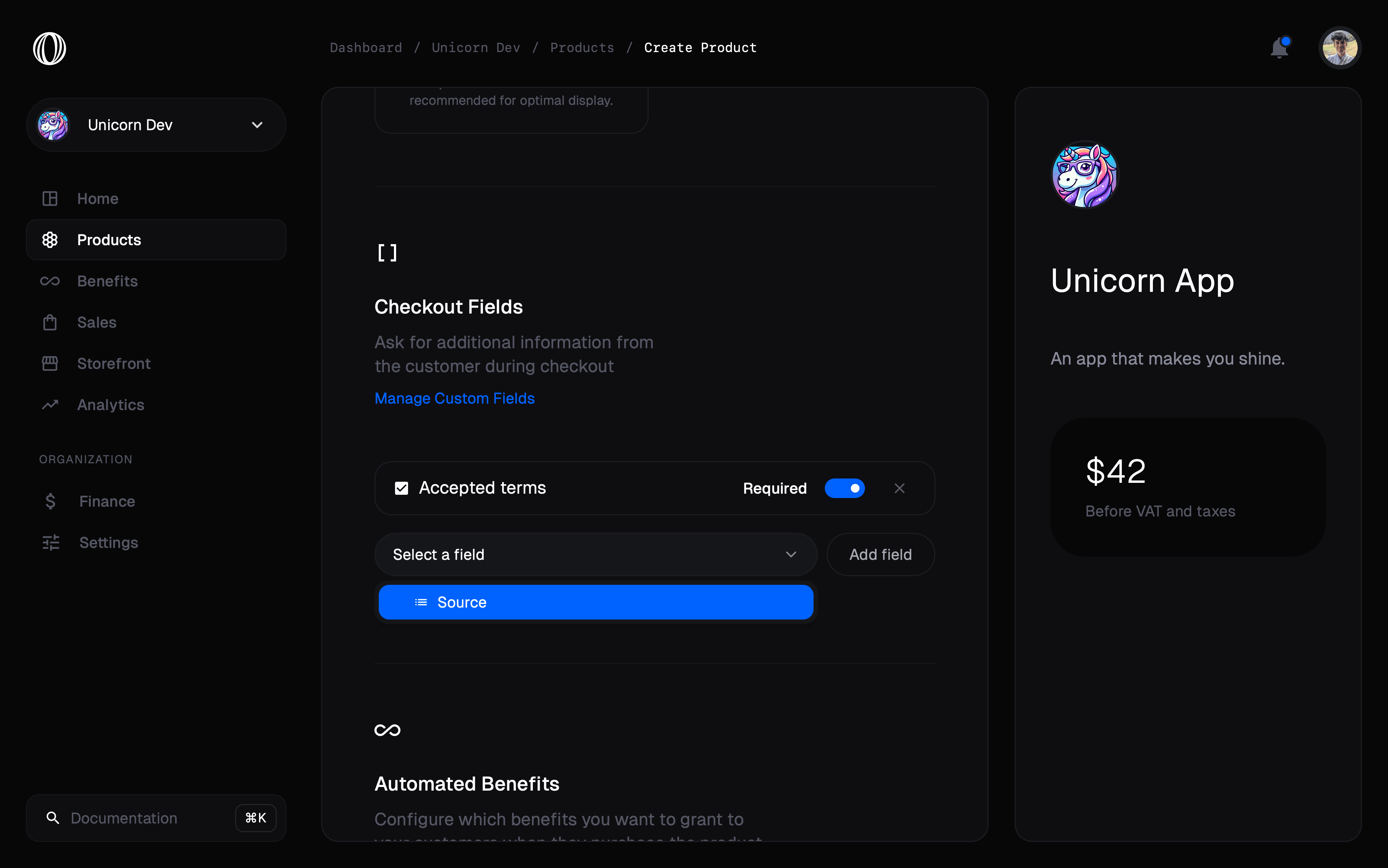 A required checkbox must be checked before confirmation, which makes it suitable for explicit agreement to linked terms.
 ## Consume the answers
Sales views add the organization fields as columns on orders and subscriptions.
## Consume the answers
Sales views add the organization fields as columns on orders and subscriptions.
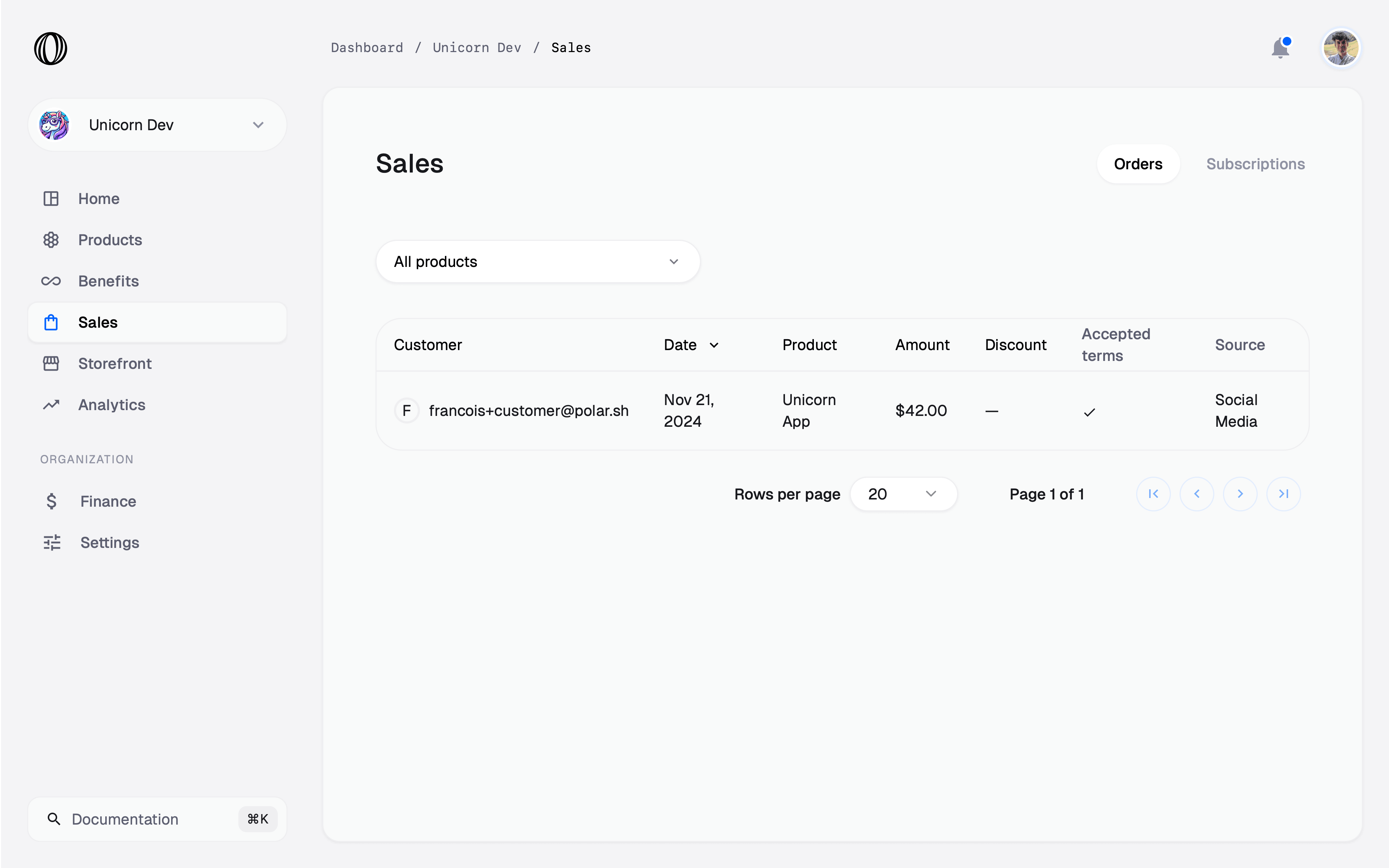
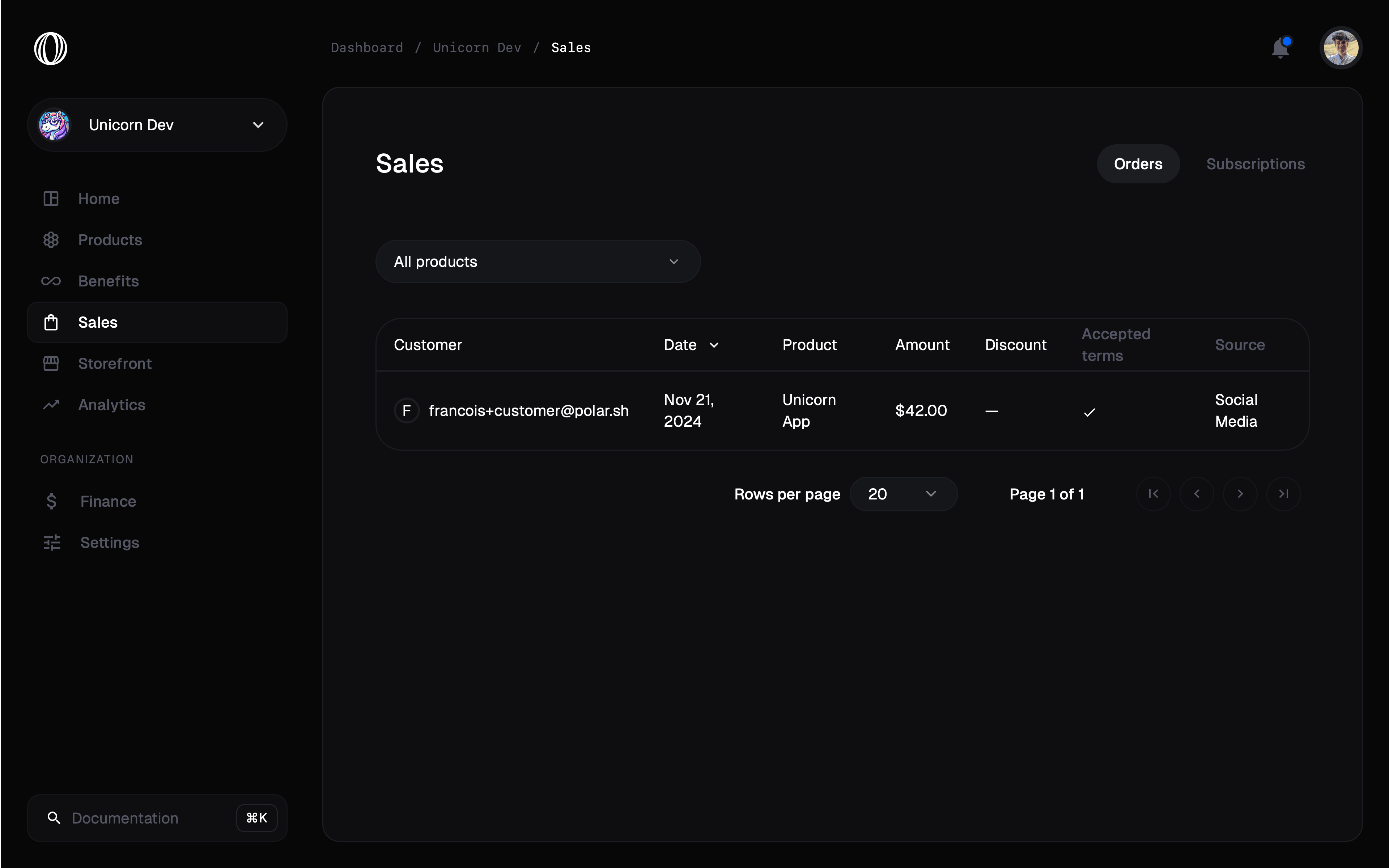 The [Orders API](/api-reference/orders/get) and [Subscriptions API](/api-reference/subscriptions/get) return the same values under `custom_field_data`, keyed by slug:
```json theme={"system"}
{
"custom_field_data": {
"terms": true,
"source": "social_media"
}
}
```
The [Orders API](/api-reference/orders/get) and [Subscriptions API](/api-reference/subscriptions/get) return the same values under `custom_field_data`, keyed by slug:
```json theme={"system"}
{
"custom_field_data": {
"terms": true,
"source": "social_media"
}
}
```