> ## Documentation Index
> Fetch the complete documentation index at: https://docs.getruba.com/llms.txt
> Use this file to discover all available pages before exploring further.
# Create Checkout Sessions
> Create a short-lived buying flow from your backend with customer-specific context.
export const RubaSocials = () => {
if (typeof document === "undefined") {
return null;
}
const inject = () => {
const footer = document.getElementById("footer");
if (!footer || document.getElementById("ruba-socials")) {
return false;
}
const isDark = document.querySelector("html.dark") || document.querySelector('html[class*="dark"]');
const lineColor = isDark ? "#383838" : "#e8e8ed";
const iconColor = isDark ? "#8e8e93" : "#86868b";
const markColor = isDark ? "#ffffff" : "#08080c";
const hoverColor = "#0071e3";
const div = document.createElement("div");
div.id = "ruba-socials";
div.style.cssText = `display:flex;align-items:center;gap:20px;padding-top:20px;margin-top:20px;border-top:1px solid ${lineColor};width:100%`;
const logo = `Ruba`;
const spacer = ``;
const ig = ``;
const li = ``;
const x = ``;
const github = ``;
div.innerHTML = logo + spacer + ig + li + x + github;
footer.appendChild(div);
return true;
};
if (!document.documentElement.dataset.rubaSocialsObserver) {
document.documentElement.dataset.rubaSocialsObserver = "true";
const observer = new MutationObserver(() => {
if (!document.getElementById("ruba-socials")) {
inject();
}
});
observer.observe(document.body, {
childList: true,
subtree: true
});
}
setTimeout(() => {
if (!inject()) {
const interval = setInterval(() => {
if (inject()) {
clearInterval(interval);
}
}, 500);
setTimeout(() => clearInterval(interval), 10000);
}
}, 300);
return null;
};
Use a checkout session when your backend needs to choose products, identity, pricing, metadata, or redirect behavior immediately before the buyer pays.
## Start from your server
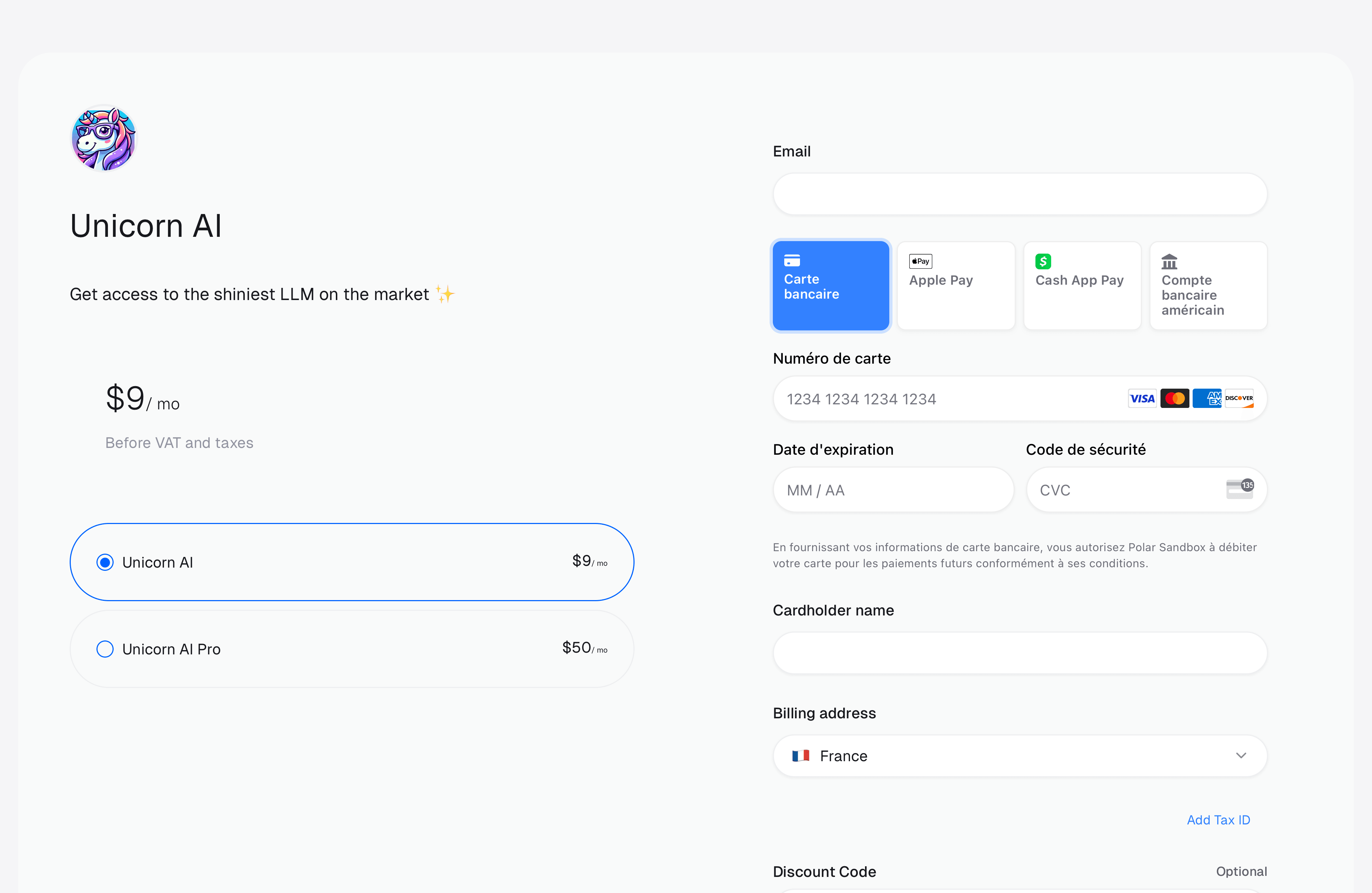
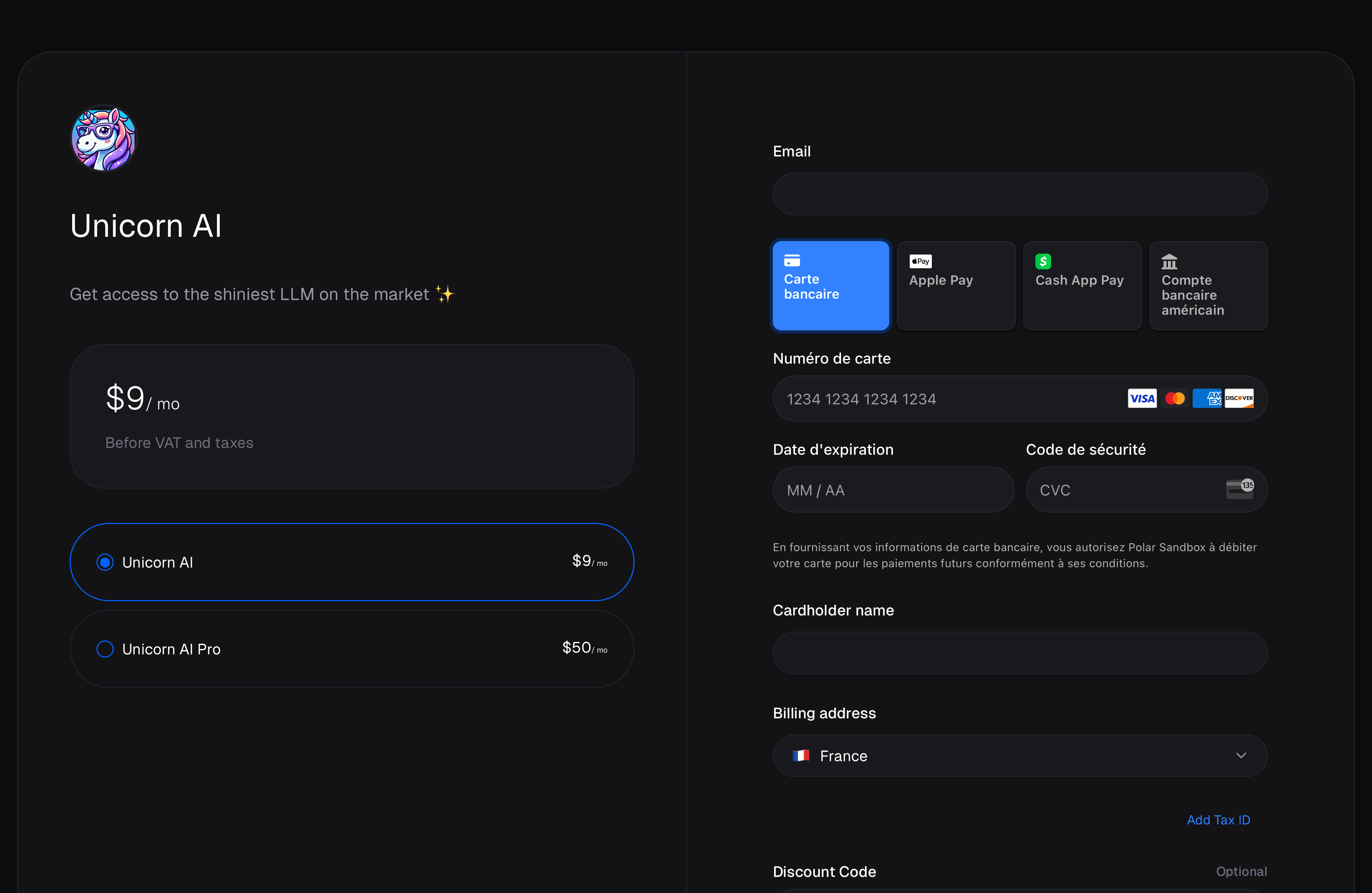
Call [Create Checkout Session](/api-reference/checkouts/create-session) with at least one product identifier. Ruba returns the session record and its temporary `url`; redirect the buyer to that URL.
```ts TypeScript theme={"system"}
import { Ruba } from "@getruba/sdk";
const ruba = new Ruba({ accessToken: process.env.RUBA_ACCESS_TOKEN ?? "" });
const checkout = await ruba.checkouts.create({ products: [""] });
console.log(checkout.url);
```
Append `?theme=light` or `?theme=dark` to override the system color preference for that visit.
## Offer several products
Pass `products` in the order they should appear. Checkout displays a product selector, but the final order still contains one selected product.
## Create session-only prices
The `prices` map can replace catalog pricing for this session. Each key is a product ID and each value is an array of price definitions created only for this checkout.
Use this for a customer-specific quote, calculated amount, temporary experiment, or price tier that should not become a catalog price. Session-only prices return `source: "ad_hoc"`; normal product prices return `source: "catalog"`.
```ts TypeScript theme={"system"}
const checkout = await ruba.checkouts.create({
products: [""],
prices: {
"": [{
amountType: "fixed",
priceAmount: 10000,
priceCurrency: "usd",
}],
},
});
```
Fixed, pay-what-you-want, free, member-priced, and metered definitions are accepted. Use the [operation schema](/api-reference/checkouts/create-session) for their exact fields.
## Bind checkout to your customer model
Send `external_customer_id` when your application already owns the canonical customer identifier. After a successful checkout, Ruba stores it on the customer and includes it in customer webhook payloads.
Sending either `customer_id` or `external_customer_id` also locks the prefilled email field, ensuring the purchase cannot be moved to another identity in the browser.
## Preserve country detection through a backend
Country affects local currency selection, billing-country defaults, and tax calculation. Ruba normally derives it from the request that creates checkout.
That request originates from your infrastructure when you use a backend, proxy, edge function, or route handler. Pass the buyer’s address as `customer_ip_address` so Ruba does not mistake the server location for the buyer location.
```ts TypeScript theme={"system"}
const checkout = await ruba.checkouts.create({
products: [""],
customerIpAddress: request.headers.get("CF-Connecting-IP") ?? undefined,
});
```
Cloudflare commonly exposes `CF-Connecting-IP`; traditional proxies commonly use `x-forwarded-for`; FastAPI exposes the connected host through `request.client.host`. When `customer_ip_address` is present, you do not also need to supply the billing country for detection.
## Continue from the returned session
Store any reference metadata your application needs, redirect to `url`, and treat checkout or order webhooks as the authoritative completion signal. The session itself expires, so never publish its URL as a permanent buy link.
 ## Create session-only prices
The `prices` map can replace catalog pricing for this session. Each key is a product ID and each value is an array of price definitions created only for this checkout.
Use this for a customer-specific quote, calculated amount, temporary experiment, or price tier that should not become a catalog price. Session-only prices return `source: "ad_hoc"`; normal product prices return `source: "catalog"`.
```ts TypeScript theme={"system"}
const checkout = await ruba.checkouts.create({
products: ["
## Create session-only prices
The `prices` map can replace catalog pricing for this session. Each key is a product ID and each value is an array of price definitions created only for this checkout.
Use this for a customer-specific quote, calculated amount, temporary experiment, or price tier that should not become a catalog price. Session-only prices return `source: "ad_hoc"`; normal product prices return `source: "catalog"`.
```ts TypeScript theme={"system"}
const checkout = await ruba.checkouts.create({
products: ["