> ## Documentation Index
> Fetch the complete documentation index at: https://docs.getruba.com/llms.txt
> Use this file to discover all available pages before exploring further.
# Deliver and Validate License Keys
> Issue a unique key after purchase and enforce expiry, activation, conditions, or usage limits.
export const RubaSocials = () => {
if (typeof document === "undefined") {
return null;
}
const inject = () => {
const footer = document.getElementById("footer");
if (!footer || document.getElementById("ruba-socials")) {
return false;
}
const isDark = document.querySelector("html.dark") || document.querySelector('html[class*="dark"]');
const lineColor = isDark ? "#383838" : "#e8e8ed";
const iconColor = isDark ? "#8e8e93" : "#86868b";
const markColor = isDark ? "#ffffff" : "#08080c";
const hoverColor = "#0071e3";
const div = document.createElement("div");
div.id = "ruba-socials";
div.style.cssText = `display:flex;align-items:center;gap:20px;padding-top:20px;margin-top:20px;border-top:1px solid ${lineColor};width:100%`;
const logo = `Ruba`;
const spacer = ``;
const ig = ``;
const li = ``;
const x = ``;
const github = ``;
div.innerHTML = logo + spacer + ig + li + x + github;
footer.appendChild(div);
return true;
};
if (!document.documentElement.dataset.rubaSocialsObserver) {
document.documentElement.dataset.rubaSocialsObserver = "true";
const observer = new MutationObserver(() => {
if (!document.getElementById("ruba-socials")) {
inject();
}
});
observer.observe(document.body, {
childList: true,
subtree: true
});
}
setTimeout(() => {
if (!inject()) {
const interval = setInterval(() => {
if (inject()) {
clearInterval(interval);
}
}, 500);
setTimeout(() => clearInterval(interval), 10000);
}
}, 300);
return null;
};
A License Key benefit gives each eligible customer a unique credential and a Ruba-hosted validation contract.
## Configure issuance
Create a **License Keys** benefit from [Products → Benefits](https://getruba.com/to/dashboard/products/benefits). Configuration may include:
* a brand prefix such as `MYAPP_`;
* expiry after a number of days, months, or years;
* a maximum number of activations;
* conditions stored with each activation;
* a usage allowance incremented during validation; and
* automatic revocation when the subscription supplying the benefit ends.
## What the customer receives
The purchase page shows the key, expiry, remaining usage, and activation list when those controls apply. When customer deactivation is enabled, the customer can remove an activation without your team building another administration screen.
## Decide whether activation is required
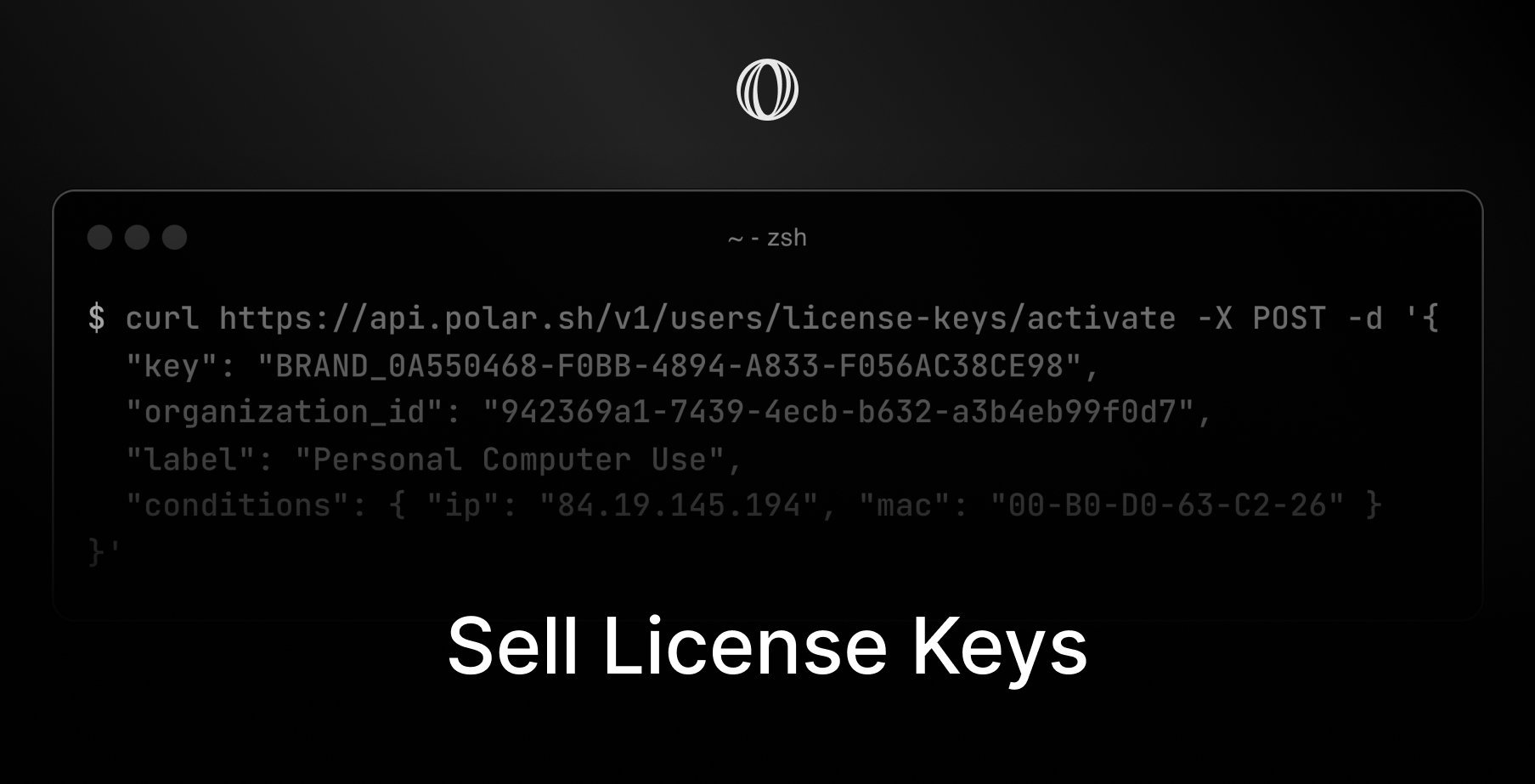
Skip activation when the key has no activation limit. Otherwise create an activation before validation and store a label, optional metadata, and any conditions your application will check later.
```bash Activate theme={"system"}
curl --request POST https://api.getruba.com/v1/customer-portal/license-keys/activate \
--header 'Content-Type: application/json' \
--data '{
"key": "",
"organization_id": "",
"label": "Primary device",
"conditions": { "major_version": 1 },
"meta": { "ip": "84.19.145.194" }
}'
```
`label` identifies the instance. `conditions` contains values that must match later validation, while `meta` stores context that is not itself a condition.
## Validate at the access boundary
Call [Validate License Key](/api-reference/customer-portal/license-keys/validate) when a premium session, API request, or application launch needs an access decision.
```bash Validate theme={"system"}
curl --request POST https://api.getruba.com/v1/customer-portal/license-keys/validate \
--header 'Content-Type: application/json' \
--data '{
"key": "",
"organization_id": "",
"activation_id": "",
"conditions": { "major_version": 1 },
"increment_usage": 15
}'
```
The activation identifier is required only when activation limiting is in use. Send the same condition values registered with that activation. `increment_usage` consumes the specified amount from a usage-limited key.
Always check `organization_id` so a valid key from another Ruba organization cannot be accepted. When the organization sells several license-key benefits, also match `benefit_id` to the expected product capability.
 A License Key benefit gives each eligible customer a unique credential and a Ruba-hosted validation contract.
## Configure issuance
Create a **License Keys** benefit from [Products → Benefits](https://getruba.com/to/dashboard/products/benefits). Configuration may include:
* a brand prefix such as `MYAPP_`;
* expiry after a number of days, months, or years;
* a maximum number of activations;
* conditions stored with each activation;
* a usage allowance incremented during validation; and
* automatic revocation when the subscription supplying the benefit ends.
## What the customer receives
The purchase page shows the key, expiry, remaining usage, and activation list when those controls apply. When customer deactivation is enabled, the customer can remove an activation without your team building another administration screen.
## Decide whether activation is required
Skip activation when the key has no activation limit. Otherwise create an activation before validation and store a label, optional metadata, and any conditions your application will check later.
```bash Activate theme={"system"}
curl --request POST https://api.getruba.com/v1/customer-portal/license-keys/activate \
--header 'Content-Type: application/json' \
--data '{
"key": "
A License Key benefit gives each eligible customer a unique credential and a Ruba-hosted validation contract.
## Configure issuance
Create a **License Keys** benefit from [Products → Benefits](https://getruba.com/to/dashboard/products/benefits). Configuration may include:
* a brand prefix such as `MYAPP_`;
* expiry after a number of days, months, or years;
* a maximum number of activations;
* conditions stored with each activation;
* a usage allowance incremented during validation; and
* automatic revocation when the subscription supplying the benefit ends.
## What the customer receives
The purchase page shows the key, expiry, remaining usage, and activation list when those controls apply. When customer deactivation is enabled, the customer can remove an activation without your team building another administration screen.
## Decide whether activation is required
Skip activation when the key has no activation limit. Otherwise create an activation before validation and store a label, optional metadata, and any conditions your application will check later.
```bash Activate theme={"system"}
curl --request POST https://api.getruba.com/v1/customer-portal/license-keys/activate \
--header 'Content-Type: application/json' \
--data '{
"key": "